

Email Bounce Rate: Causes and How to Fix It
Understanding Email Bounce Rate: A Critical Metric for Deliverability
Email bounce rate is a crucial metric in email marketing that directly impacts the effectiveness of your campaigns, sender reputation, and overall deliverability. It represents the percentage of emails that could not be successfully delivered to the recipient's inbox and were returned to the sender. A high bounce rate signals underlying issues with your email list hygiene, sender reputation, or even content, necessitating immediate attention to prevent long-term damage to your email program.
What is Email Bounce Rate?
In its simplest form, email bounce rate is the proportion of your sent emails that fail to reach their intended recipients. When an email bounces, the recipient's mail server sends an automated notification, known as a bounce message, back to the sender's server, explaining the reason for the delivery failure.
Calculating Your Bounce Rate
The bounce rate is calculated using a straightforward formula:
(Total Number of Bounced Emails / Total Number of Emails Sent) x 100 = Bounce Rate %For example, if you send 10,000 emails and 500 of them bounce, your bounce rate is 5%.
Industry Benchmarks
While there's no universally "good" bounce rate, most email marketing experts aim for a rate below 2%. Anything consistently above 5% typically indicates significant problems requiring urgent investigation. It's important to note that benchmarks can vary slightly depending on your industry, audience, and list acquisition methods.
Types of Email Bounces: Hard vs. Soft
Not all bounces are created equal. Understanding the distinction between hard and soft bounces is fundamental to effectively managing your email deliverability.
Hard Bounces: Permanent Delivery Failures
A hard bounce signifies a permanent reason why an email cannot be delivered. These are irreversible and indicate that the email address is invalid or non-existent. Hard bounces severely impact your sender reputation and must be removed from your list immediately to maintain hygiene and deliverability.
Common Causes of Hard Bounces:
- Invalid Email Address: The email address simply doesn't exist, perhaps due to a typo during signup or the user no longer using that address.
- Domain Name Does Not Exist: The domain part of the email address (e.g.,
@example.com) is misspelled or no longer registered. - Recipient Unknown: The mail server cannot find a user account for the specified email address within the domain.
Impact: Hard bounces are detrimental to your sender reputation. Internet Service Providers (ISPs) view sending to non-existent addresses as a sign of a poorly maintained list, which can lead to your emails being flagged as spam or your sending IP/domain being blacklisted.
Soft Bounces: Temporary Delivery Failures
A soft bounce indicates a temporary delivery issue. Unlike hard bounces, soft bounces do not mean the email address is invalid; rather, something is momentarily preventing the email from reaching the inbox. Many Email Service Providers (ESPs) like Postigo will attempt to resend emails that soft bounce a few times before marking them as a permanent failure.
Common Causes of Soft Bounces:
- Mailbox Full: The recipient's inbox has reached its storage limit and cannot accept new messages.
- Server Down or Unavailable: The recipient's mail server is temporarily offline, overloaded, or undergoing maintenance.
- Message Too Large: The email, including attachments, exceeds the recipient's mail server size limits.
- Recipient's Server Temporarily Rejected: The server may be blocking the email temporarily due to perceived spam characteristics, a temporary blacklist, or other transient issues.
Impact: While less severe than hard bounces, a high volume of soft bounces can still indicate problems with your content, sending practices, or the recipient's server health. Persistent soft bounces to the same address over time should eventually lead to its removal.
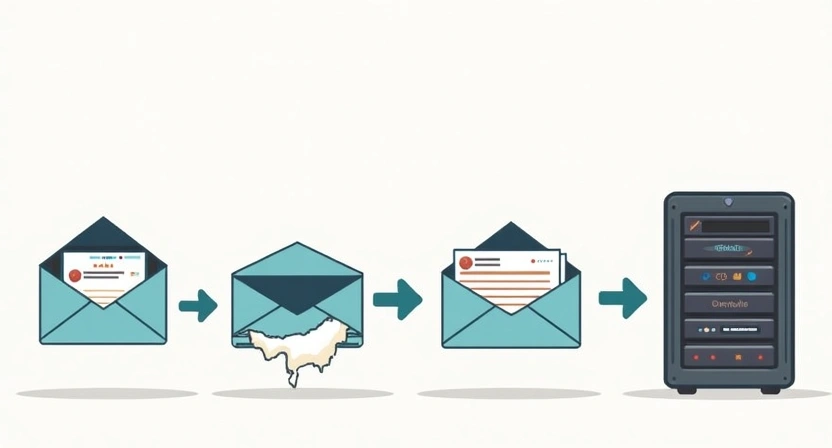
Why is a High Email Bounce Rate Detrimental?
Ignoring a high bounce rate can have cascading negative effects on your entire email marketing program. It's not just about wasted effort; it actively harms your ability to reach subscribers who genuinely want your content.
1. Damage to Sender Reputation
Your sender reputation is a score assigned by ISPs based on your sending behavior. A key factor in this score is your bounce rate. ISPs interpret a high bounce rate, especially from hard bounces, as a sign that you're sending to old, purchased, or poorly acquired lists. This erodes trust and makes ISPs more likely to filter your emails into spam folders or block them entirely.
2. Lower Deliverability Rates
A damaged sender reputation directly translates to lower deliverability. Even if your emails aren't bouncing, they might not be reaching the primary inbox. Instead, they could land in spam folders, the promotions tab, or be rejected without a bounce notification, meaning your valuable messages never get seen.
3. Wasted Resources and Increased Costs
Most ESPs charge based on the number of emails sent or the size of your subscriber list. Sending emails to invalid addresses means you're paying to reach nobody. This wastes not only money but also the time and effort invested in crafting your campaigns.
4. Skewed Analytics and Inaccurate Insights
A high bounce rate distorts your email campaign analytics. Your open rates, click-through rates, and conversion rates will appear artificially low because a significant portion of your "sent" emails never even reached an inbox. This makes it challenging to accurately assess campaign performance and make data-driven decisions.
5. Potential for Blacklisting
Consistently sending emails with a high bounce rate can lead to your IP address or sending domain being blacklisted by ISPs or third-party spam filters. Getting delisted can be a time-consuming and arduous process, severely disrupting your email operations.
Common Causes of High Email Bounce Rates
Identifying the root causes of a high bounce rate is the first step toward remediation. While some causes are technical, many stem from poor list management practices.
1. Poor List Acquisition Practices
The foundation of a healthy email list is how subscribers are acquired. Shortcuts often lead to high bounce rates.
- Purchased or Rented Email Lists: These lists are notorious for containing outdated, invalid, or spam trap email addresses, leading to immediate high bounce rates and reputation damage.
- Scraped Email Addresses: Using software to extract email addresses from websites is not only unethical but also yields low-quality, unverified contacts who never opted-in.
- Single Opt-in Forms Without Verification: While faster for signups, single opt-in can allow typos, fake addresses, or bot subscriptions to enter your list.
- Misleading Sign-up Practices: If users don't clearly understand what they're signing up for, they might provide invalid information or quickly disengage.
2. Outdated or Stale Email Lists
Email lists naturally decay over time. People change jobs, abandon old email addresses, or domains go offline. A list that hasn't been engaged with or cleaned in a while is a prime candidate for a high bounce rate.
- Infrequent Sending: If you send emails sporadically, your list can quickly become stale between campaigns.
- Lack of Regular List Hygiene: Failing to routinely remove inactive or bouncing addresses.
3. Typographical Errors
Simple human error during manual data entry can introduce invalid email addresses into your system.
- Mistyped domains (e.g.,
@gmai.cominstead of@gmail.com). - Incorrect characters or missing parts of an address.
4. Server-Side Issues (Recipient's End)
Sometimes the issue isn't with your list but with the recipient's mail server.
- Recipient's Mailbox Full: A common soft bounce reason.
- Recipient's Server Temporarily Down or Overloaded: Another common soft bounce.
- DNS Issues on Recipient's Domain: Problems resolving the domain name can lead to delivery failures.
5. Blacklisting of Your Sending IP or Domain
If your IP address or domain is blacklisted by major ISPs or third-party anti-spam organizations, legitimate emails will be rejected, leading to bounces (or silent rejections).
- This often results from high spam complaints, sending to spam traps, or a sudden surge in email volume.
6. Poor Sender Reputation (General)
While often a *result* of high bounce rates, a generally poor sender reputation stemming from low engagement, high spam complaints, or a lack of proper email authentication can also contribute to temporary blocks and soft bounces from wary ISPs.
How to Fix and Reduce Your Email Bounce Rate: Actionable Strategies
Addressing a high bounce rate requires a proactive and multi-faceted approach. Here are practical steps to take:
1. Implement Double Opt-in for All New Subscribers
This is arguably the most effective way to prevent invalid email addresses from entering your list. With double opt-in, after a user submits their email address, they receive a confirmation email with a link they must click to verify their subscription. This ensures the address is valid and the user genuinely wants to receive your emails.
"Double opt-in is the gold standard for list quality and the cornerstone of a healthy, engaged subscriber base."
- Benefits: Reduces typos, prevents bots, eliminates fake addresses, and ensures higher engagement from the start.
2. Regularly Clean and Validate Your Email List
List hygiene is an ongoing process, not a one-time task. You need to routinely identify and remove problematic addresses.
Immediate Action for Hard Bounces:
- Your ESP (like Postigo) should automatically suppress or remove hard-bounced addresses from future sends. Ensure this feature is enabled and monitored.
Utilize Email Verification Services:
- Before sending to a new list, or periodically for older lists, use a dedicated email verification tool. These services check email addresses against various criteria (syntax, domain existence, mailbox validity) to identify invalid or risky addresses before you send to them.
Segment and Re-engage Inactive Subscribers:
If subscribers haven't opened or clicked your emails in a long time (e.g., 6-12 months), consider them inactive. Instead of immediately removing them, try a targeted re-engagement campaign. If they still don't respond, it's often best to remove them to protect your sender reputation.
Recommended List Cleaning Frequency:
| Action | Frequency | Notes |
|---|---|---|
| Hard Bounce Removal | Immediately (automatic) | Critical for sender reputation. |
| Soft Bounce Monitoring | Ongoing; re-evaluate after 3-5 persistent bounces | ESPs typically handle retries. Remove if consistently failing. |
| Full List Validation (3rd-party service) | Quarterly / Bi-annually | Especially important for older lists or before a major campaign. |
| Inactive Subscriber Re-engagement/Removal | Every 6-12 months | Remove if no response after re-engagement efforts. |
3. Monitor and Manage Soft Bounces Strategically
While hard bounces require immediate removal, soft bounces are temporary. Most ESPs will retry sending soft-bounced emails multiple times over a few days. However, if an address consistently soft bounces over many campaigns, it might indicate a more permanent problem (e.g., an abandoned mailbox that's always full). After a certain number of retries or repeated soft bounces, consider marking the address as inactive or removing it.
4. Maintain a Robust Sender Reputation
A good sender reputation minimizes rejections and blocks that can lead to bounces.
- Consistent Sending Volume: Avoid sending large volumes after long periods of inactivity; ISPs see this as suspicious.
- High Engagement Rates: Encourage opens and clicks. Engaged subscribers signal to ISPs that your content is valued.
- Avoid Spam Triggers: Steer clear of spammy subject lines, excessive exclamation marks, ALL CAPS, and overly salesy language in your content.
- Implement Email Authentication: Set up SPF, DKIM, and DMARC records for your sending domain. These protocols verify that you are who you say you are, preventing spoofing and improving trust with ISPs.
Example SPF Record (TXT record in DNS):
v=spf1 include:_spf.postigo.com ~allThis tells receiving servers that emails from your domain are authorized if they come from Postigo's servers.
For a deeper dive into email authentication, read our guide on SPF, DKIM, and DMARC: The Pillars of Email Deliverability.

5. Warm Up New IPs and Domains
If you're using a new sending IP address or domain, ISPs don't have a history with it. Starting with a large send can trigger spam filters and lead to bounces. Gradually "warm up" your new IP/domain by sending small volumes to highly engaged subscribers first, slowly increasing the volume over several weeks. This builds a positive sending history.
Learn more about this essential process in our article: The Essential Guide to Email IP and Domain Warming.
6. Review and Optimize Email Content and Size
Large email sizes can lead to soft bounces if the recipient's mailbox has strict limits.
- Optimize Images: Compress images without compromising quality.
- Avoid Large Attachments: If you must share large files, link to them in cloud storage rather than attaching them directly.
- Clean HTML: Ensure your email's HTML code is clean and efficient.
7. Proactively Monitor Blacklists
Regularly check if your sending IP or domain has been blacklisted using services like MXToolBox or Spamhaus. If you find yourself on a blacklist, follow their specific procedures for delisting, which often involves resolving the underlying issue and submitting a request.
8. Leverage Your Email Service Provider (ESP) Like Postigo
A robust ESP is your best ally in managing bounce rates. Postigo offers:
- Automatic Bounce Management: Hard bounces are typically suppressed instantly, preventing future sends to invalid addresses.
- Bounce Categorization: Distinguishes between hard and soft bounces, allowing for targeted action.
- Deliverability Tools and Analytics: Provides insights into your bounce rates and other key metrics to help you identify and address issues.
- Compliance Features: Helps you adhere to anti-spam laws, indirectly supporting better deliverability.
Best Practices for Ongoing Bounce Rate Management
- Regular Reporting and Analysis: Make bounce rate a key metric you track after every campaign. Look for trends and sudden spikes.
- A/B Test List Acquisition Methods: Experiment with different signup form designs, incentives, and opt-in flows to see which yield the highest quality subscribers and lowest bounce rates.
- Stay Updated: Email deliverability is an ever-evolving field. Keep abreast of changes in ISP policies and best practices.
Conclusion
A low email bounce rate is not merely a vanity metric; it is a fundamental indicator of your email marketing health and a prerequisite for effective communication. By understanding the causes of bounces and implementing the proactive strategies outlined above—from double opt-in and rigorous list cleaning to maintaining sender reputation and leveraging your ESP's capabilities—you can significantly reduce your bounce rate. This commitment to deliverability ensures your messages consistently reach your audience, protect your brand's reputation, and maximize the ROI of your email marketing efforts. Start optimizing your email program today and watch your engagement and conversions soar with Postigo.
Related Posts

Ready to scale your outreach?
Start sending personalized cold emails with AI-powered automation. Free trial, no credit card required.
Start Free Trial arrow_forward