


Email Deliverability Best Practices
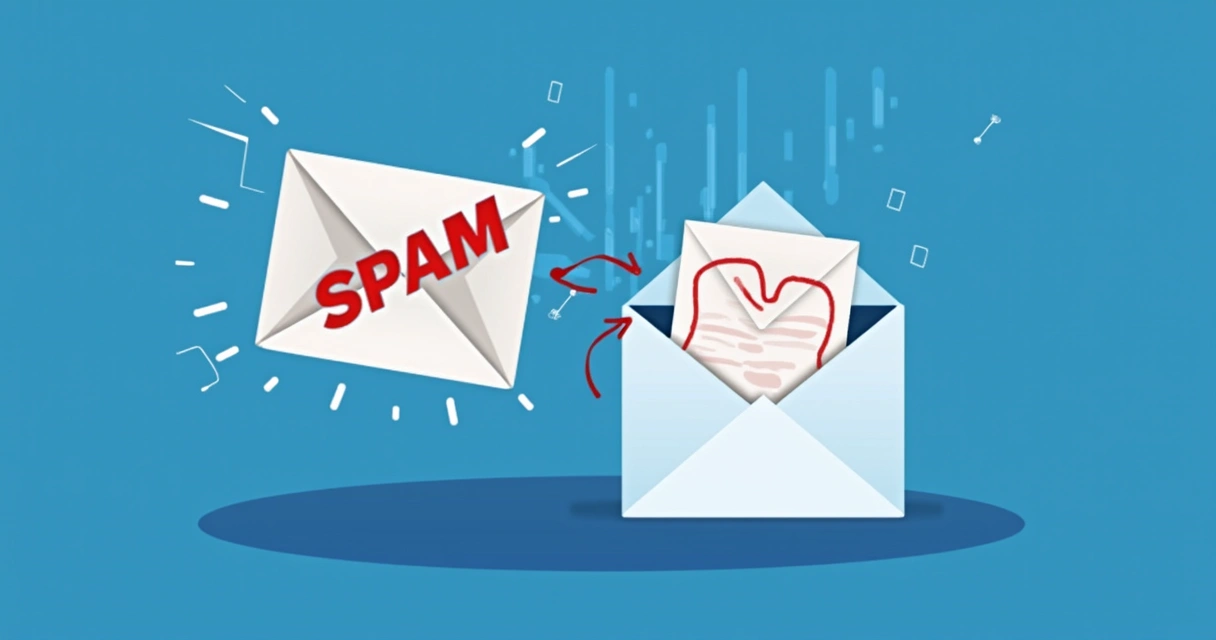
Email deliverability best practices are the essential strategies and technical configurations that ensure your emails reach the intended recipient's inbox, rather than being diverted to spam folders or rejected entirely. Mastering these practices is fundamental for any email marketing or cold outreach strategy, directly impacting engagement rates, conversion potential, and the overall return on investment from your email campaigns. Without a robust deliverability strategy, even the most compelling content and valuable offers will fail to reach their audience.
Understanding Email Deliverability: More Than Just Sending
Sending an email might seem straightforward, but its journey from your server to the recipient's inbox is complex and fraught with potential pitfalls. Email deliverability isn't just about whether an email is sent; it's about whether it lands in the primary inbox, where it has the best chance of being seen and acted upon. This distinction is crucial for businesses relying on email for sales, customer service, and relationship building.
The Core Challenge: Reaching the Inbox
Internet Service Providers (ISPs) like Gmail, Outlook, Yahoo, and others employ sophisticated spam filters designed to protect their users from unwanted emails. These filters analyze hundreds of factors, from the sender's technical setup to the email's content and the recipient's past engagement with that sender. A low deliverability rate means your efforts are wasted, as your messages are either blocked or relegated to an ignored spam folder.
Why Deliverability Impacts Your Bottom Line
Poor deliverability directly translates to lost revenue. If your transactional emails, promotional offers, or cold outreach sequences aren't reaching their targets, you're missing opportunities for sales, sign-ups, and engagement. Moreover, consistently poor deliverability can damage your sender reputation, making it even harder to reach the inbox in the future. Investing in deliverability best practices is an investment in your business's communication efficacy and financial health.
Pillar 1: Technical Foundations (Authentication)
The first and most critical step in establishing good email deliverability is setting up proper email authentication. This tells ISPs that you are who you say you are, preventing spoofing and significantly boosting your credibility.
SPF: Sender Policy Framework
SPF is an email authentication method that allows the owner of a domain to specify which mail servers are authorized to send email on behalf of that domain. ISPs check the SPF record of the sending domain against the IP address of the server sending the email. If they don't match, the email might be flagged as spam or rejected.
An SPF record is published as a TXT record in your domain's DNS. It looks something like this:
v=spf1 include:_spf.postigo.com include:sendgrid.net ~allv=spf1: Indicates the SPF version.include:_spf.postigo.com: Authorizes Postigo's sending servers. You'll include any ESPs you use.~all: Specifies how non-authorized servers should be treated.~all(softfail) means accept but mark, while-all(hardfail) means reject. For most,~allis a safe starting point.
DKIM: DomainKeys Identified Mail
DKIM adds a digital signature to your outgoing emails, allowing the recipient's server to verify that the email was not altered in transit and that it genuinely originated from your domain. This signature is encrypted and included in the email header.
Setting up DKIM involves generating a public/private key pair. The private key is used by your sending server (e.g., Postigo) to sign outgoing emails, and the public key is published as a TXT record in your DNS. Recipient servers then use this public key to decrypt and verify the signature.
A DKIM record typically looks like this (the "selector" part varies):
selector._domainkey.yourdomain.com IN TXT "v=DKIM1; k=rsa; p=MIGfMA0GCSqGSIb3DQEBAQUAA4GNADCBiQKBgQC..."Both SPF and DKIM are crucial for demonstrating legitimacy and preventing email spoofing, a common tactic used by phishers.
DMARC: Domain-based Message Authentication, Reporting & Conformance
DMARC builds upon SPF and DKIM by allowing domain owners to specify how recipient email servers should handle emails that fail SPF or DKIM authentication. It also provides a mechanism for reporting, giving domain owners visibility into who is sending email on their behalf, and whether those emails are passing authentication checks.
A DMARC record is also a TXT record in your DNS, usually placed at _dmarc.yourdomain.com.
v=DMARC1; p=quarantine; rua=mailto:dmarcreports@yourdomain.com; ruf=mailto:dmarcfailures@yourdomain.com; pct=100; adkim=s; aspf=sv=DMARC1: Specifies the DMARC version.p=: The policy for failed emails:none: Monitor mode; no action, just report. Ideal for initial setup.quarantine: Mark as spam.reject: Reject the email entirely.
rua=: Email address for aggregate reports (daily summaries).ruf=: Email address for forensic reports (detailed failure reports).pct=100: Percentage of emails to apply the policy to.adkim=s; aspf=s: Alignment modes (strict vs. relaxed).
Gradually moving your DMARC policy from none to quarantine, then to reject, after careful monitoring of your reports, is the recommended approach.
DMARC Policy Levels and Impact
| Policy Level | Description | Impact on Deliverability | Use Case |
|---|---|---|---|
p=none |
Monitor emails that fail DMARC. No action taken by recipient servers. | Minimal direct impact; crucial for gathering data. | Initial deployment, understanding legitimate sending sources. |
p=quarantine |
Emails failing DMARC are sent to the spam/junk folder. | Significantly improves inbox placement for legitimate emails by isolating unauthorized ones. | After identifying legitimate senders, to start protecting your domain. |
p=reject |
Emails failing DMARC are completely blocked and not delivered. | Highest protection; ensures only authenticated emails reach the inbox. | Once all legitimate sending sources are DMARC compliant. |
BIMI: Brand Indicators for Message Identification
While not directly a deliverability factor, BIMI works with DMARC to display your brand's logo next to your authenticated emails in supported inboxes. This visual cue can increase brand recognition and open rates, indirectly supporting deliverability by improving user trust and engagement. It requires a DMARC policy set to quarantine or reject.
Pillar 2: Sender Reputation Management
Your sender reputation is a score assigned by ISPs based on your past sending behavior. It's the most critical factor influencing whether your emails reach the inbox. A good reputation means high deliverability; a poor one means your emails are likely going to spam or being blocked.
Consistent Sending Volume & Frequency
ISPs prefer senders with a consistent email volume and frequency. Sudden spikes in volume from a previously low-volume sender can trigger spam filters. If you're new to email marketing or using a new IP/domain, start slow and gradually increase your sending volume over time (a process known as "warming up").
IP & Domain Warm-up Strategy
Warming up a new IP address or sending domain is essential for building a positive sender reputation from scratch. This involves sending emails in increasing volumes over several weeks.
- **Start Small:** Begin by sending a small volume of emails (e.g., 50-100 per day) to your most engaged subscribers.
- **Gradual Increase:** Slowly increase the volume daily or every few days.
- **Monitor Engagement:** Pay close attention to open rates, click-through rates, and bounce rates. High engagement helps build reputation.
- **Diversify Recipients:** Gradually expand your audience to different ISPs to build a balanced reputation.
- **Consistency is Key:** Maintain a steady sending cadence even after warm-up is complete.
Postigo's infrastructure automatically helps manage warm-up for its users, but understanding the principles is vital for your overall strategy.
Avoiding Spam Traps
Spam traps are email addresses specifically designed to catch spammers. They come in two main types:
- **Pristine Spam Traps:** Addresses that have never been valid and are published solely to ensnare senders who scrape lists.
- **Recycled Spam Traps:** Old email addresses that have become inactive and are later repurposed by ISPs as traps.
Hitting a spam trap severely damages your sender reputation. The best way to avoid them is rigorous list hygiene and never buying email lists.
Monitoring Blacklists
Blacklists (or blocklists) are databases of IP addresses and domains that have been reported for sending spam. If your sending IP or domain lands on a major blacklist, your emails will be blocked by most ISPs. Regularly check major blacklists (e.g., Spamhaus, MXToolbox) to ensure you're not listed. If you find yourself on one, act quickly to identify the cause and request removal.
Pillar 3: List Hygiene & Segmentation
The quality of your email list is paramount. Sending to a clean, engaged list ensures higher deliverability and better campaign performance.
The Importance of a Clean List
An unclean list is a deliverability killer. It leads to:
- **High Bounce Rates:** Too many bounces signal to ISPs that you're sending to old or invalid addresses, harming your reputation.
- **Spam Complaints:** Disengaged recipients are more likely to mark your emails as spam, which is highly detrimental.
- **Spam Trap Hits:** Old, inactive addresses can turn into spam traps.
- **Wasted Resources:** You're paying to send emails that never reach an engaged recipient.
Regular List Cleaning Process
Implement a consistent process for maintaining list hygiene:
- **Verify Emails at Capture:** Use double opt-in and real-time email verification services (like the one integrated into Postigo) to prevent invalid addresses from entering your list.
- **Remove Hard Bounces Immediately:** Hard bounces indicate permanent delivery failures and should be removed from your list automatically by your ESP.
- **Manage Soft Bounces:** Soft bounces are temporary failures. If an address soft bounces multiple times, consider removing or segmenting it.
- **Identify and Re-engage Inactive Subscribers:** Subscribers who haven't opened or clicked in a long time (e.g., 6-12 months) can become a liability. Run re-engagement campaigns, and if they still don't respond, consider removing them.
- **Process Unsubscribes Promptly:** Provide a clear, one-click unsubscribe link and honor requests immediately.
For more detailed insights on maintaining your list, refer to our guide on Email List Building Strategies.
Dealing with Bounces
Email bounces are notifications that an email could not be delivered. There are two main types:
- **Hard Bounces:** Permanent delivery failures (e.g., invalid email address, domain doesn't exist). These should be removed immediately.
- **Soft Bounces:** Temporary delivery failures (e.g., mailbox full, server temporarily unavailable). Your ESP might retry these, but persistent soft bounces warrant investigation.
Managing Unsubscribes and Complaints
An unsubscribe is not a failure; it's a preference. Make it easy to unsubscribe and ensure your ESP processes these requests instantly. Spam complaints, however, are serious. A high complaint rate (typically above 0.1%) is a major red flag for ISPs and will quickly damage your reputation. Analyze campaigns with high complaint rates to understand why recipients are unhappy.
Segmentation for Relevance
Sending highly relevant content to targeted segments of your audience significantly boosts engagement, which in turn improves deliverability. Instead of broad blasts, segment your list based on demographics, purchase history, engagement levels, interests, and behavior.
"The future of email is relevance. The more personalized and pertinent your messages are, the higher your engagement, and the stronger your deliverability." - Ann Handley
For instance, sending a promotional offer for enterprise solutions only to leads who have shown interest in such products through website visits or previous interactions will yield better results than sending it to your entire list.
Pillar 4: Content Quality & Engagement
Even with perfect technical setup and a pristine list, poor content can land you in the spam folder. Your email's content and how recipients interact with it are critical to deliverability.
Crafting Spam-Filter-Friendly Content
Spam filters analyze email content for common spam triggers.
- **What to Avoid:**
- **Spammy Keywords:** Excessive use of words like "free," "winner," "guarantee," "cash," "act now!"
- **Excessive Punctuation & ALL CAPS:** Especially in subject lines.
- **Poor Grammar & Spelling:** Filters can detect these as signs of unprofessionalism.
- **Image-Only Emails:** Spam filters can't read text in images. Maintain a healthy text-to-image ratio.
- **Broken Links or Too Many Links:** Especially if they lead to untrustworthy domains.
- **Obfuscated URLs:** Disguising links with shortened URLs or non-descriptive anchor text can be suspicious.
- **What to Include:**
- **Clear, Concise Subject Lines:** Accurately reflect content and create urgency without being spammy.
- **Personalization:** Beyond just the name; personalize content based on user data.
- **Plain Text Version:** Always provide a plain text version for HTML emails.
- **Good Text-to-Image Ratio:** Aim for at least 60-40 text-to-image.
- **Valuable Content:** Offer genuine value to the recipient.
Personalization Beyond the First Name
True personalization goes beyond simply inserting a recipient's first name. It involves tailoring the content, offers, and even the send time based on their behavior, preferences, and demographics. This makes emails feel more relevant and less like mass mail, leading to higher engagement.
Clear Calls to Action (CTAs)
A clear, single call to action guides the recipient on what to do next. Ambiguous or multiple CTAs can confuse recipients, leading to lower click-through rates and reduced engagement. A well-designed CTA encourages interaction, signaling to ISPs that your emails are valuable.
Encouraging Engagement
ISPs pay close attention to how recipients interact with your emails:
- **Open Rates:** Indicate interest in your subject line and sender.
- **Click-Through Rates (CTR):** Show that the content resonated and prompted action.
- **Replies:** Especially in cold outreach, replies are a strong positive signal.
- **Marking as "Not Spam":** A powerful signal that your email is wanted.
- **Adding to Address Book:** Another strong positive indicator.
Encourage these positive interactions through compelling content, clear value propositions, and effective email design.
Pillar 5: Monitoring, Analysis & Continuous Improvement
Deliverability is not a set-it-and-forget-it task. It requires continuous monitoring, analysis, and adaptation.
Key Metrics to Track
Regularly monitor these metrics within Postigo or your chosen email platform:
- **Bounce Rate:** Keep it under 2% for marketing emails, ideally below 0.5%.
- **Open Rate:** Varies by industry and list, but generally aim for 15-25%+.
- **Click-Through Rate (CTR):** Typically 2-5%+, indicating engagement with your content.
- **Complaint Rate:** Should be well below 0.1%. Anything above is a red flag.
- **Unsubscribe Rate:** Keep it under 0.5%. Higher rates suggest content irrelevance or frequency issues.
Deliverability Metrics and Benchmarks
| Metric | Description | Healthy Benchmark | Impact on Deliverability |
|---|---|---|---|
| Bounce Rate | Percentage of emails that couldn't be delivered. | < 0.5% (cold); < 2% (marketing) | High rates severely damage sender reputation. |
| Complaint Rate | Percentage of recipients who mark your email as spam. | < 0.1% | Very high negative signal to ISPs. |
| Open Rate | Percentage of recipients who open your email. | 15-25%+ (varies by industry) | Good indicator of subject line effectiveness and sender reputation. |
| Click-Through Rate (CTR) | Percentage of recipients who click a link in your email. | 2-5%+ (varies) | Strong indicator of content relevance and engagement. |
| Unsubscribe Rate | Percentage of recipients who opt-out. | < 0.5% | Higher rates indicate content/frequency issues, affecting reputation. |
Utilizing Feedback Loops (FBLs)
Feedback Loops are services offered by ISPs that notify you when one of your recipients marks your email as spam. By integrating with FBLs, your ESP (like Postigo) automatically processes these complaints, helping you remove those recipients from your list and prevent future complaints, thus protecting your sender reputation.
A/B Testing for Deliverability
Test different elements of your emails to see what resonates best with your audience and improves deliverability. Experiment with:
- Subject lines (personalization, urgency)
- Call-to-action wording and placement
- Email content (long vs. short, image ratio)
- Send times and days
Postmaster Tools
Major ISPs like Gmail, Outlook, and Yahoo offer "Postmaster Tools" that provide insights into your sending reputation, spam rates, delivery errors, and other key metrics. Regularly checking these tools provides invaluable feedback directly from the ISPs you're trying to reach. For a deep dive into using these tools, explore our resource on Leveraging Postmaster Tools for Email Success.
Compliance and Legal Considerations
Adhering to legal requirements is not just about avoiding fines; it's a fundamental aspect of ethical email marketing and good deliverability.
CAN-SPAM Act (United States)
The CAN-SPAM Act sets rules for commercial email. Key requirements include:
- Don't use false or misleading header information.
- Don't use deceptive subject lines.
- Identify the message as an advertisement.
- Tell recipients where you're located.
- Tell recipients how to opt out of receiving future emails.
- Honor opt-out requests promptly.
GDPR (General Data Protection Regulation - European Union)
GDPR imposes strict rules on how personal data, including email addresses, is collected, processed, and stored for EU citizens. Key points for email marketers:
- **Explicit Consent:** You must obtain clear, affirmative consent to send marketing emails. Pre-checked boxes are not sufficient.
- **Right to Access/Erasure:** Individuals have the right to access their data and request its deletion.
- **Data Minimization:** Only collect data that is necessary for your purpose.
CCPA (California Consumer Privacy Act - California, USA)
Similar to GDPR but for California residents, CCPA provides consumers with rights regarding their personal information. While primarily focused on data sharing and sale, it reinforces the need for transparency and respecting opt-out requests.
Always consult with legal counsel to ensure your email marketing practices comply with all relevant local and international laws.
Conclusion: Your Inbox, Your Success
Email deliverability is the backbone of successful email marketing and cold outreach. It's a multifaceted discipline that combines technical setup, reputation management, list hygiene, compelling content, and continuous monitoring. By diligently implementing these best practices – from robust authentication with SPF, DKIM, and DMARC, to maintaining a clean and engaged subscriber list, and crafting high-quality content – you significantly increase your chances of landing in the inbox.
Platforms like Postigo are designed to empower you with the tools and infrastructure to execute these strategies effectively. However, the ultimate responsibility for your sender reputation and email deliverability lies in your ongoing commitment to ethical, valuable, and technically sound email practices. Prioritize deliverability, and watch your email campaigns achieve their full potential.
Related Posts
Ready to scale your outreach?
Start sending personalized cold emails with AI-powered automation. Free trial, no credit card required.
Start Free Trial arrow_forward