

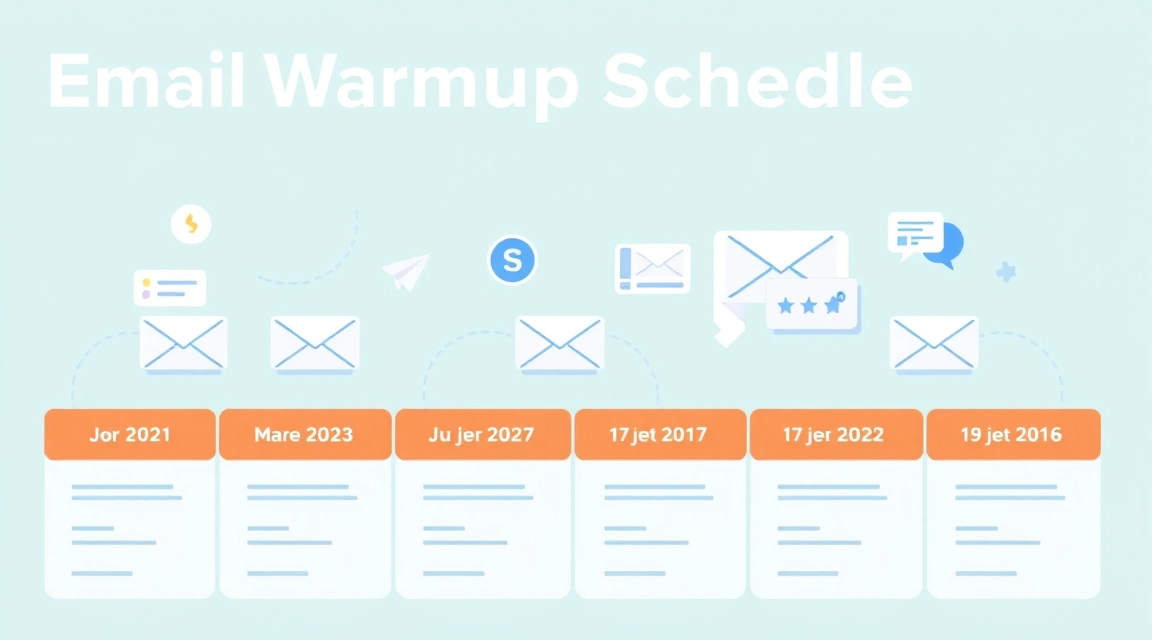
Email Warmup Schedule: The Complete 30-Day Plan for New Domains
The complete 30-day email warmup schedule for new domains involves a systematic, gradual increase in sending volume, starting with 50-100 emails on Day 1 and slowly ramping up to 1,000-2,000+ emails by Day 30, while consistently monitoring engagement rates and sender reputation.
Launching a new email domain for marketing or cold outreach is exciting, but jumping straight into high-volume sending is a fast track to the spam folder. Internet Service Providers (ISPs) like Gmail, Outlook, and Yahoo are wary of new domains sending large volumes, as this behavior often signals spam. To establish trust and ensure your emails reach the inbox, you need a robust email warmup plan.
This guide provides a detailed, day-by-day 30 day email warmup schedule, specifically designed for new domains. We'll walk you through the essential steps, volumes, and monitoring practices to safely build your sender reputation and maximize deliverability with Postigo.net.
What is an Email Warmup Schedule and Why is it Crucial for New Domains?
An email warmup schedule is a structured process of gradually increasing email sending volume from a new domain or IP address over a period of time. Its primary goal is to build a positive sender reputation with ISPs. When you send emails from a new domain, ISPs have no prior data on your sending habits. Without a history, they err on the side of caution, often routing your emails to spam or even blocking them outright.
Think of it like building credit. You don't get a massive loan on day one; you start small, prove you're reliable, and gradually increase your credit limit. Similarly, an effective email warmup strategy demonstrates to ISPs that you are a legitimate sender: you send relevant content, recipients engage positively, and your bounce rates are low. This positive interaction signals trust, allowing you to send higher volumes without triggering spam filters.
For new domains, warming up is not optional; it's a critical prerequisite for any successful email marketing or cold outreach campaign. Neglecting this step will inevitably lead to poor deliverability, wasted effort, and a damaged domain reputation that is difficult to repair.
The Core Principles of an Effective Email Warmup Plan
Before diving into the daily schedule, understanding the foundational principles will empower you to adapt and troubleshoot effectively throughout your email warmup plan:
Need to validate your email list before sending?
Postigo offers free email validation, MX checking, and deliverability tools — no signup required.
Try Free Tools →- Gradual Volume Increase: This is the cornerstone. Never make drastic jumps in sending volume. Slow and steady wins the race.
- Consistent Sending: Send emails daily, even if it's a small batch. Irregular sending can appear suspicious.
- High Engagement: ISPs prioritize emails that recipients open, reply to, and click on. Positive engagement signals valuable content. Negative engagement (spam complaints, deletions without opening) is highly detrimental.
- Clean Email Lists: Always use validated email addresses. Sending to invalid or inactive addresses inflates bounce rates and harms your reputation.
- Relevant Content: Emails should be valuable, personalized, and relevant to the recipient. Avoid spammy language, excessive links, or large attachments during warmup.
- Domain and DNS Configuration: Ensure your domain has correctly configured SPF, DKIM, and DMARC records. These authenticate your emails and prove you're authorized to send from your domain. You can use Postigo's SPF checker and MX checker to verify your settings.
- Monitoring and Adjustment: Continuously track your key metrics (open rates, click rates, bounce rates, spam complaints) and be prepared to adjust your sending volume or content based on performance.
Your Complete 30-Day Email Warmup Schedule for New Domains
This detailed 30 day email warmup plan is designed to guide you through the process. Remember, these are guidelines; adjust based on your specific domain's performance. If you encounter issues (high bounce rates, low engagement), slow down the ramp-up. The goal is consistent positive engagement.
Phase 1: Foundation Building (Days 1-7)
Focus on internal sending and highly engaged contacts. The goal is to establish initial trust signals with a small, receptive audience.
- Day 1: 50-100 Emails. Send to internal company emails (colleagues, personal accounts) and highly engaged contacts who expect your emails. Ensure they open and reply.
- Day 2: 100-150 Emails. Continue with internal and highly engaged contacts. Aim for replies and clicks.
- Day 3: 150-200 Emails. Expand slightly to a very small segment of your most loyal customers or subscribers.
- Day 4: 200-250 Emails. Maintain a similar audience. Focus on personalized, valuable content.
- Day 5: 250-300 Emails. Introduce a new, small segment of highly engaged prospects or customers.
- Day 6: 300-350 Emails. Keep content engaging. Monitor open and click rates closely (aim for 30-50% open, 5-10% click).
- Day 7: 350-400 Emails. Review the week's performance. If all looks good, prepare to scale.
Phase 2: Gradual Expansion (Days 8-14)
Start expanding your audience slightly, but still prioritize engagement. Introduce more diverse ISPs.
- Day 8: 400-500 Emails. Begin segmenting your list by ISP (e.g., Gmail, Outlook). Send slightly more to domains where you have seen good engagement.
- Day 9: 500-600 Emails. Continue segmenting. Vary your email content to test what resonates best.
- Day 10: 600-700 Emails. Focus on maintaining high engagement. Avoid any sudden spikes in volume.
- Day 11: 700-800 Emails. Introduce a small segment of new, validated leads who have opted in.
- Day 12: 800-900 Emails. Monitor bounce rates (should be <2-3%). If they rise, pause and clean your list.
- Day 13: 900-1000 Emails. Ensure your emails are personalized and provide clear value.
- Day 14: 1000-1100 Emails. Check your domain blacklist status. If clean, proceed.
Phase 3: Scaling Up (Days 15-21)
You can now increase volume more confidently, but still with caution. Introduce more cold outreach if that's your goal, but keep it highly targeted.
- Day 15: 1100-1300 Emails. Increase volume to a broader, but still qualified, segment of your list.
- Day 16: 1300-1500 Emails. Diversify your content slightly. A/B test subject lines.
- Day 17: 1500-1700 Emails. Continue to prioritize engagement. Aim for a healthy open-to-reply ratio.
- Day 18: 1700-1900 Emails. If you're doing cold outreach, ensure your initial messages are highly personalized and valuable.
- Day 19: 1900-2100 Emails. Monitor for any spam complaints. Even a few can be detrimental.
- Day 20: 2100-2300 Emails. Review your email templates. Are they clean and mobile-friendly?
- Day 21: 2300-2500 Emails. You should now be comfortable sending a moderate volume.
Phase 4: Nearing Full Capacity (Days 22-30)
You're almost at your target sending volume. Continue to monitor and optimize.
- Day 22: 2500-2700 Emails. Increase volume towards your target daily send limit.
- Day 23: 2700-2900 Emails. Segment and personalize further. Higher personalization often leads to higher engagement.
- Day 24: 2900-3100 Emails. Check your bounce rates and ensure they remain low.
- Day 25: 3100-3300 Emails. Continue to vary your subject lines and call-to-actions.
- Day 26: 3300-3500 Emails. Focus on maintaining your established sender reputation.
- Day 27: 3500-3700 Emails. Review your overall deliverability reports.
- Day 28: 3700-3900 Emails. You should be close to your desired daily sending volume.
- Day 29: 3900-4100 Emails. Ensure consistent positive engagement across all campaigns.
- Day 30: 4100-4500 Emails. Congratulations! Your domain should now be well-warmed up and ready for higher volumes, provided you maintain good sending practices.
Example Email Template for Warmup (Internal/Highly Engaged):
Subject: Quick Check-in & Updates from [Your Company]!

Hi [Name],

Hope you're having a great week!

Just wanted to send a quick email to share some exciting news about [brief, engaging update, e.g., a new feature, a recent achievement, or a valuable resource]. We think you'll find it really useful.

[Optional: Link to a blog post, resource, or new feature]

We'd love to hear your thoughts on [topic] – feel free to hit reply and let us know!

Best,
[Your Name]
[Your Title]
[Your Company]
Essential Tools and Practices for Your Email Warmup Strategy
A successful warmup schedule for cold email and marketing requires more than just sending emails. It demands the right tools and diligent practices:
1. Reliable SMTP Service Provider
Choosing the right SMTP provider is paramount. They handle the actual sending of your emails and significantly impact deliverability. Here's a comparison of some popular options:
| Provider | Key Features | Pricing (Approx.) | Best For |
|---|---|---|---|
| Amazon SES | Highly scalable, cost-effective, robust analytics, flexible API. | $0.10 per 1,000 emails. Free tier up to 62,000 emails/month for EC2 users. | High-volume senders, developers, those comfortable with AWS ecosystem. |
| SendGrid | User-friendly interface, strong analytics, marketing email features, API, dedicated IPs. | Free up to 100 emails/day. Paid plans start at $19.95/month for 50,000 emails. | Businesses needing both transactional and marketing emails, good for scaling. |
| Postmark | Exceptional deliverability, focus on transactional emails, clear analytics, excellent support. | Starts at $15/month for 10,000 emails. | Transactional emails (password resets, notifications), high deliverability priority. |
| Mailgun | Developer-focused, powerful API, email parsing, A/B testing, detailed logs. | Free up to 5,000 emails/month for 3 months. Paid plans start at $35/month for 50,000 emails. | Developers, those needing advanced API features and customization. |
Postigo.net integrates seamlessly with various SMTP settings and provides the analytics you need to monitor performance, whether you're using Gmail SMTP, Outlook SMTP, or a dedicated service.
2. DNS Records (SPF, DKIM, DMARC)
These are non-negotiable for email authentication. Misconfigured or missing records will severely hinder your deliverability:
- SPF (Sender Policy Framework): Specifies which mail servers are authorized to send email on behalf of your domain.
- DKIM (DomainKeys Identified Mail): Adds a digital signature to your emails, allowing the receiving server to verify that the email hasn't been tampered with.
- DMARC (Domain-based Message Authentication, Reporting & Conformance): Builds on SPF and DKIM, telling receiving servers what to do with emails that fail authentication (e.g., quarantine, reject) and provides reporting.
Ensure these are correctly set up in your domain's DNS records. Your SMTP provider will give you the specific values to add.
3. Email List Validation
Before sending any email, especially during warmup, validate your list. Sending to invalid or non-existent email addresses leads to hard bounces, which ISPs interpret as a sign of a low-quality sender. Postigo offers robust email validation tools to keep your lists clean and your bounce rates low.
4. Consistent Monitoring
Regularly check your email campaign reports for:
- Open Rates: Aim for 30%+ during warmup.
- Click-Through Rates: 5%+ is good.
- Bounce Rates: Keep below 2-3%. High bounce rates are a major red flag.
- Spam Complaint Rates: Ideally 0%, definitely below 0.1%. Even a few complaints can damage your reputation.
- Unsubscribe Rates: Keep low, below 0.5%.
Use Postigo's analytics to track these metrics and adjust your strategy as needed. Also, regularly check your domain's blacklist status.
Troubleshooting Common Issues During Your 30-Day Email Warmup
Even with a solid plan, you might encounter bumps. Here's how to address common issues:
-
High Bounce Rates:
- Cause: Sending to invalid, non-existent, or inactive email addresses.
- Solution: Immediately pause sending to problematic segments. Use an email validation service to clean your entire list before resuming. Investigate if your list acquisition methods are flawed.
-
Low Open/Click Rates:
- Cause: Irrelevant content, poor subject lines, emails landing in spam, or recipient fatigue.
- Solution: Review your content for value and personalization. A/B test subject lines. Ensure your sender name is recognizable. If deliverability is an issue, slow down your sending volume and focus on more engaged segments.
-
Emails Landing in Spam/Junk Folder:
- Cause: Poor sender reputation, lack of authentication (SPF/DKIM/DMARC), spammy content, or sudden volume spikes.
- Solution: Verify your SPF, DKIM, and DMARC records are correctly configured. Check your email content for spam trigger words. Reduce sending volume and re-focus on highly engaged recipients to rebuild trust. Use Postigo's deliverability tools to test where your emails are landing.
-
Receiving SMTP Error 550 or SMTP Error 421:
- Cause: Error 550 typically indicates a permanent failure (e.g., recipient email doesn't exist, domain blocked). Error 421 is a temporary service unavailable message, often due to rate limits or suspicious activity.
- Solution: For 550 errors, remove the invalid address from your list. For 421 errors, wait and retry sending. If persistent, reduce your sending volume, ensure proper authentication, and contact your SMTP provider.
-
Domain Blacklisted:
- Cause: High spam complaints, sending to spam traps, or malware on your domain.
- Solution: Use Postigo's blacklist checker to identify the list. Stop sending immediately. Clean your lists thoroughly. Request delisting once issues are resolved. This is a serious issue and requires immediate attention.
Key Takeaways
A well-executed email warmup schedule is non-negotiable for new domains aiming for high deliverability. Stick to a gradual email warmup schedule like the 30-day plan outlined, prioritize genuine engagement, and continuously monitor your metrics to build a strong sender reputation. Utilize Postigo's comprehensive suite of email tools to validate lists, check DNS records, monitor blacklists, and track performance, ensuring your emails consistently land in the inbox.
Ready to launch your email campaign?
Start with 500 free emails. AI-powered personalization, SMTP rotation, and real-time analytics.
Start Free →Related Posts

Ready to scale your outreach?
Start sending personalized cold emails with AI-powered automation. Free trial, no credit card required.
Start Free Trial arrow_forward