

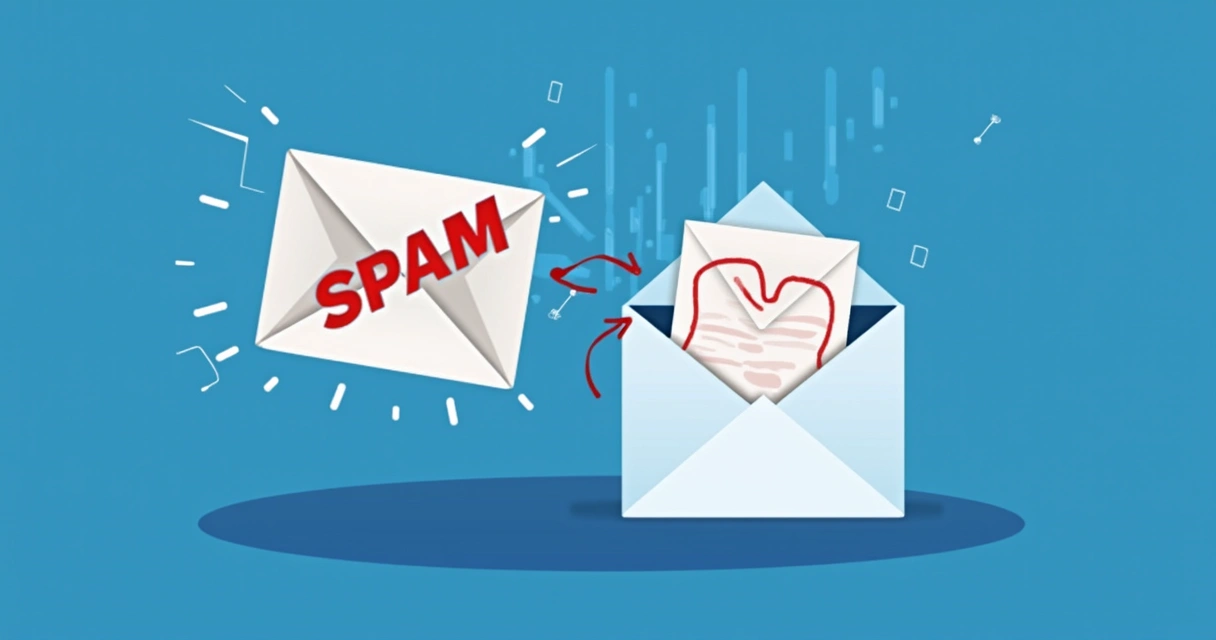
How to Avoid the Spam Folder
Avoiding the spam folder is a critical component of successful email marketing and cold outreach. It’s not merely a technical hurdle, but a comprehensive discipline that intertwines meticulous technical setup, strategic content creation, and diligent audience management. By understanding how spam filters operate and consistently implementing best practices, you can significantly boost your email deliverability, ensuring your messages land directly in the inbox where they can be seen and acted upon.
The Unseen Gatekeepers: Understanding Spam Filters
Before diving into solutions, it's essential to grasp the fundamental role of spam filters. These sophisticated systems, deployed by Internet Service Providers (ISPs) and email clients (like Gmail, Outlook, Yahoo), act as the first line of defense against unwanted mail. Their primary goal is to protect users from unsolicited, malicious, or irrelevant emails.
How Spam Filters Work
Spam filters employ a complex array of algorithms, machine learning models, and scoring systems to evaluate every incoming email. They scrutinize numerous factors simultaneously:
- Sender Reputation: This is arguably the most significant factor. ISPs maintain a reputation score for every sending IP address and domain based on past sending behavior, bounce rates, spam complaint rates, and engagement.
- Email Authentication: Technical protocols like SPF, DKIM, and DMARC confirm the sender's legitimacy.
- Content Analysis: Filters scan subject lines, email body text, links, and image ratios for common spam trigger words, suspicious formatting, or deceptive elements.
- Recipient Engagement: Positive engagement (opens, clicks, replies, adding to contacts) signals legitimacy, while negative actions (deleting without opening, marking as spam) damage reputation.
- Blacklists: Databases of known spamming IP addresses or domains that automatically block emails.
Why Getting to the Inbox Matters
The difference between the inbox and the spam folder isn't just a minor inconvenience; it directly impacts your email campaign's effectiveness and your brand's reputation:
- ROI and Conversion: Emails in the spam folder generate zero opens, zero clicks, and zero conversions. Your marketing efforts become futile.
- Brand Trust: Consistently landing in spam erodes trust and diminishes your brand's perceived professionalism and legitimacy.
- Future Deliverability: Poor deliverability today leads to even worse deliverability tomorrow. ISPs learn from your sending patterns.
Laying the Technical Groundwork: Email Authentication
The first and most critical step in avoiding the spam folder is to prove that you are who you say you are. Email authentication protocols are the technical bedrock of deliverability.
SPF (Sender Policy Framework)
SPF allows domain owners to publish a list of authorized mail servers that are permitted to send email on behalf of their domain. ISPs check this record to verify the sender.
Action: Ensure your domain's DNS records include a correct SPF record. If you use Postigo, you'll likely include Postigo's SPF mechanism.
Example SPF Record (replace with your actual domain and Postigo's mechanism):
v=spf1 include:_spf.postigo.com include:other_sending_service.com ~all~all is a "softfail," meaning mail from unauthorized servers might still be accepted but marked with suspicion. For stricter policies, ` -all` is a "hardfail," indicating unauthorized mail should be rejected. However, `~all` is generally recommended for most businesses to avoid accidentally blocking legitimate emails.
SPF Record States and Their Implications:
| SPF State | Description | Implication for Deliverability |
|---|---|---|
| Pass | The sending IP is authorized by the SPF record. | Strong positive signal; increases deliverability. |
| Fail (-all) | The sending IP is NOT authorized; sender specifies rejection. | Highly likely to be rejected or sent to spam. |
| Softfail (~all) | The sending IP is NOT authorized; sender suggests suspicion. | May still be delivered, but often marked as spam or junk. |
| Neutral (?all) | Sender explicitly states no policy. | Weak signal; provides no protection against spoofing. |
| None | No SPF record found. | No authentication, increasing spam likelihood. |
DKIM (DomainKeys Identified Mail)
DKIM adds a digital signature to your outgoing emails, allowing the receiving server to verify that the email hasn't been tampered with in transit and that it genuinely originated from your domain. It uses cryptographic keys to create this signature.
Action: Generate DKIM keys (usually through your email service provider like Postigo) and add the public key as a TXT record in your DNS.
This process usually involves adding a CNAME record that points to your ESP's DKIM servers or a TXT record containing a long string of characters.
DMARC (Domain-based Message Authentication, Reporting & Conformance)
DMARC builds upon SPF and DKIM by instructing receiving mail servers how to handle emails that fail authentication. It also provides valuable reporting to domain owners about how their email is being authenticated and where spoofing attempts might be occurring.
Action: Implement a DMARC policy. Start with a relaxed policy (p=none) to gather reports, then gradually move to p=quarantine (send to spam) or p=reject (block entirely) as you gain confidence in your SPF and DKIM setup.
Example DMARC Record:
v=DMARC1; p=quarantine; rua=mailto:dmarc_reports@yourdomain.com; ruf=mailto:dmarc_forensic@yourdomain.com; fo=1; adkim=r; aspf=r; pct=100;p=quarantine: Instructs receiving servers to place failed emails in the spam/junk folder.rua&ruf: Specify email addresses to receive aggregate and forensic reports, offering insights into email authentication results and potential spoofing.
Reverse DNS (PTR Records)
While not strictly an authentication protocol, a valid PTR record (Reverse DNS lookup) is crucial. It ensures that your sending IP address resolves back to your domain name. Many ISPs perform this check, and a mismatch can trigger spam flags.
Action: Ensure your email server's IP address has a correct PTR record. This is usually managed by your hosting provider or email service provider.
IP & Domain Warm-up
If you're using a new IP address or domain for sending emails, or haven't sent a high volume recently, you need to "warm it up." ISPs are wary of sudden spikes in email volume from unfamiliar senders. A gradual increase in sending volume helps establish a positive reputation.
Action: Start with small, highly engaged segments of your list and slowly increase sending volume over several weeks or even months.
Typical Warm-up Strategy:
- Day 1-3: Send to 500-1,000 highly engaged recipients.
- Day 4-7: Increase to 2,000-5,000.
- Week 2: Increase to 10,000-20,000.
- Week 3 onwards: Gradually increase, monitoring performance closely.
"Consistency and patience are key in building a strong sender reputation. Rushing the warm-up process can lead to immediate blacklisting."
Cultivating a Stellar Sender Reputation
Even with perfect technical authentication, a poor sender reputation will land your emails in spam. Your reputation is a dynamic score that ISPs assign to your sending IP and domain, based on your historical sending behavior.
Understanding IP & Domain Reputation
- IP Reputation: Tied to the specific IP address from which your emails originate. If you use a shared IP (common with ESPs), your reputation is influenced by other senders on that IP. A dedicated IP gives you full control but requires careful management.
- Domain Reputation: Associated with your sending domain (e.g., yourcompany.com). It's more enduring than IP reputation and takes longer to build or repair.
Key Factors Influencing Reputation
Every email you send contributes to your reputation. Here's a breakdown of what ISPs observe:
| Positive Factors (Boost Reputation) | Negative Factors (Damage Reputation) |
|---|---|
| High Open Rates: Indicates recipients find your emails relevant. | High Bounce Rates: Especially hard bounces, signal a poorly maintained list. |
| High Click-Through Rates: Strong engagement, valuable content. | High Spam Complaint Rates: The most damaging factor, signals unwanted mail. |
| Emails Marked as "Not Spam": Explicit positive feedback. | High Unsubscribe Rates: Indicates lack of interest or too frequent sending. |
| Emails Added to Address Book: Explicit whitelist action by recipients. | Emails Deleted Without Opening: Signals irrelevance. |
| Replies to Emails: Active two-way communication. | Spam Trap Hits: Sending to invalid, dormant, or deliberately planted addresses. |
Managing Bounce Rates
Bounces occur when an email cannot be delivered. They are a significant indicator to ISPs about the quality of your list.
- Hard Bounces: Permanent delivery failures (e.g., invalid email address, non-existent domain). These must be removed from your list immediately.
- Soft Bounces: Temporary delivery failures (e.g., full inbox, server downtime). These can often be retried, but persistent soft bounces should lead to removal.
Action: Utilize Postigo's automatic bounce management features. Regularly clean your lists of hard bounces and consistently unengaged soft bounces. For more on this, see our article on Email List Cleaning Best Practices.
Minimizing Spam Complaints
A spam complaint is a direct and severe negative signal to ISPs. Even a low percentage (e.g., 0.1%) can significantly harm your reputation.
Action:
- Ensure your opt-in process is crystal clear.
- Send only relevant, anticipated content.
- Make your unsubscribe option easy to find and use.
- Remove anyone who complains immediately from all future mailings.
"A single spam complaint can damage your reputation more than dozens of positive engagements can build it. Prioritize user experience to avoid them."
Crafting Inbox-Worthy Content
Once you've secured your technical foundation and reputation, the actual content of your emails plays a vital role in deliverability. Spam filters analyze every element of your message.
Subject Lines That Engage, Not Trigger
Your subject line is the first impression. It needs to entice opens without triggering spam filters.
- Do's:
- Be clear, concise, and honest about content.
- Personalize when appropriate (e.g., using the recipient's name).
- Use emojis sparingly and relevantly.
- Create curiosity without being deceptive.
- Don'ts:
- Avoid ALL CAPS and excessive punctuation (e.g., "FREE!!! ACT NOW!!!").
- Steer clear of classic spam trigger words (e.g., "FREE," "WIN," "URGENT," "GUARANTEE," "LOAN," "VIAGRA").
- Don't use misleading claims or deceptive phrases.
- Avoid symbols that look like currency signs or excessive special characters.
Action: A/B test your subject lines to see what resonates best with your audience and observe their impact on open rates and spam complaints.
Email Body Best Practices
The content within your email is just as scrutinized as your subject line.
- Text-to-Image Ratio: Maintain a healthy balance. Emails that are predominantly images with little text are often flagged as spam because filters can't read the image content. A good rule of thumb is at least 60-70% text.
- Links:
- Ensure all links are legitimate and point to reputable domains.
- Avoid excessive links.
- Use clear, descriptive anchor text instead of raw URLs or vague phrases like "click here."
- Be cautious with URL shorteners; while some are trusted, others can be associated with spam.
- Formatting:
- Use clean, well-structured HTML. Poorly coded HTML can be a red flag.
- Ensure your emails are responsive and display well on all devices.
- Avoid using excessive colors, font sizes, or flashy design elements.
- Do not hide text (e.g., white text on a white background).
- Personalization: Beyond the subject line, personalize content within the email body. Addressing the recipient by name and tailoring content to their interests or past interactions significantly boosts engagement.
- Clear Call to Action (CTA): Make it obvious what you want the recipient to do next. A clear CTA increases clicks and engagement.
- Attachments: Avoid attachments whenever possible. They are a common vector for malware and are often blocked or sent to spam. Link to files stored in cloud services instead.
- Spam Trigger Words in Body: Just like subject lines, be mindful of words like "guaranteed," "risk-free," "buy now," "limited time offer," etc., especially when used excessively or in combination.
Plain Text Version
Always include a plain text version of your email. Many email clients and spam filters prefer or require it, and it acts as a fallback for recipients who can't display HTML.
Action: Postigo and most reputable ESPs automatically generate a plain text version from your HTML, but always review it.
Smart List Management and User Experience
Who you send to is just as crucial as what you send. A well-managed list and a positive user experience are foundational to long-term deliverability.
Permission-Based Marketing: The Golden Rule
Never send emails to people who haven't explicitly given you permission. This is non-negotiable for deliverability and compliance (e.g., GDPR, CAN-SPAM).
- Action: Implement double opt-in (where recipients confirm their subscription via a follow-up email). This ensures genuine interest and reduces invalid sign-ups.
- Clearly state what subscribers will receive and how often during the sign-up process.
List Hygiene: Keep it Clean
Even with permission, lists decay over time. People change email addresses, abandon accounts, or become disengaged.
- Action:
- Regularly remove hard bounces. Postigo automates this process for you.
- Identify and remove unengaged subscribers (e.g., no opens or clicks in 6-12 months). Consider re-engagement campaigns first.
- Use email validation services (often built into platforms like Postigo) to verify new sign-ups and clean existing lists.
- Be wary of purchasing email lists; they often contain spam traps and invalid addresses.
Cleaning your list, while it might seem counterintuitive to remove contacts, will dramatically improve your deliverability and overall sender reputation. For more insights, check out our guide on The Importance of Email Validation.
Segmentation: Send Relevant Content
Sending generic emails to an entire list often leads to low engagement and higher unsubscribe/complaint rates. Segmentation allows you to tailor messages to specific groups.
Action: Group your subscribers based on demographics, interests, past purchases, engagement levels, or behavior. This ensures your content is always relevant.
Benefit: Highly segmented campaigns typically see higher open rates, click rates, and lower complaint rates, all of which improve deliverability.
The Unsubscribe Process
Make it easy for recipients to unsubscribe. Hiding the unsubscribe link or making the process difficult frustrates users and often leads them to mark your email as spam instead – which is far worse for your reputation.
Action: Provide a clear, one-click unsubscribe link in the footer of every email. Fulfill unsubscribe requests promptly.
It’s always better to have a subscriber leave your list gracefully than to have them flag you as a spammer.
Monitoring, Engagement, and Continuous Improvement
Deliverability isn't a "set it and forget it" task. It requires ongoing vigilance and adaptation.
Track Key Deliverability Metrics
Regularly monitor your email campaign performance through your Postigo dashboard.
- Open Rate: How many recipients opened your email.
- Click-Through Rate (CTR): How many recipients clicked a link in your email.
- Bounce Rate: The percentage of emails that couldn't be delivered.
- Complaint Rate: The percentage of recipients who marked your email as spam. Aim for below 0.1%.
- Unsubscribe Rate: The percentage of recipients who opted out.
Action: Analyze trends. A sudden dip in opens or a spike in complaints needs immediate investigation. Postigo's robust analytics provide the insights you need.
Encourage Engagement
Positive engagement signals to ISPs that your emails are valued.
Action:
- Ask subscribers to add your "from" email address to their address book or contacts.
- Encourage replies to your emails (e.g., "Hit reply if you have questions!").
- Create compelling content that encourages clicks.
Leveraging Feedback Loops (FBLs)
Feedback Loops are services offered by major ISPs that notify senders when a recipient marks an email as spam. This allows senders to immediately remove that recipient from their list.
Action: Ensure your ESP (like Postigo) has FBLs implemented with major providers. This automation is crucial for quickly suppressing complainers and protecting your reputation.
Whitelisting
Encourage your most loyal subscribers to whitelist your email address (add it to their "safe senders" list). This bypasses most spam filters for those specific users.
Action: Include a small note in your welcome email or a prominent place on your website explaining how to whitelist your address.
Postigo: Your Partner in Deliverability
Navigating the complexities of email deliverability can be daunting, but Postigo is designed to empower you with the tools and insights needed to consistently land in the inbox.
Postigo provides:
- Automated Email Validation: Ensuring your lists are clean and free of invalid addresses, reducing bounce rates.
- Built-in Authentication Guidance: Helping you correctly set up SPF, DKIM, and DMARC records.
- Robust Analytics and Reporting: Offering clear insights into your open rates, click rates, bounce rates, and complaint rates to identify issues quickly.
- Advanced List Segmentation: Enabling you to send highly targeted, relevant content that boosts engagement.
- Compliant Unsubscribe Management: Making it easy for users to opt out, minimizing spam complaints.
- Expert Support & Resources: Our team and knowledge base are here to guide you through best practices.
By leveraging Postigo's platform, you can focus more on crafting compelling messages and less on the intricate technicalities of deliverability, knowing that your campaigns are optimized for inbox placement.
Conclusion
Avoiding the spam folder is a multi-faceted and ongoing commitment that requires a strategic approach. It hinges on establishing a strong technical foundation through proper email authentication, diligently cultivating a positive sender reputation, crafting engaging and compliant content, and maintaining a clean, well-segmented email list. By consistently implementing these best practices and leveraging powerful platforms like Postigo, you can significantly increase your email deliverability, ensure your messages reach their intended audience, and ultimately drive greater success for your email marketing and cold outreach efforts. Remember, deliverability isn't a one-time fix; it's a journey of continuous monitoring, adaptation, and improvement.
Related Posts

Ready to scale your outreach?
Start sending personalized cold emails with AI-powered automation. Free trial, no credit card required.
Start Free Trial arrow_forward