


How to Use Amazon SES for Email Marketing
Understanding Amazon SES for Email Marketing
Amazon Simple Email Service (SES) provides a robust, scalable, and cost-effective cloud-based email sending solution that businesses can leverage for their email marketing campaigns. By integrating SES, marketers gain direct access to a highly reliable infrastructure, allowing them to send transactional, marketing, and bulk emails efficiently while maintaining high deliverability rates crucial for successful outreach.
For organizations seeking to maximize their email sending capabilities without the overhead of managing complex server infrastructure, SES offers a powerful backend. While SES provides the raw engine for email delivery, pairing it with a specialized email marketing platform like Postigo unlocks advanced features for audience segmentation, campaign automation, analytics, and template management. This combination transforms a powerful sending service into a comprehensive, high-performance email marketing system.
Why Choose Amazon SES for Your Email Marketing?
The decision to use Amazon SES often comes down to its unparalleled blend of cost-effectiveness, scalability, and deliverability. These core advantages make it an attractive option for businesses of all sizes, from startups to large enterprises.
Cost-Effectiveness
One of SES's most compelling features is its pricing model. It charges per email sent and per gigabyte of attachments, which is significantly lower than many traditional Email Service Providers (ESPs). If you're sending from an application hosted on Amazon EC2, you can even send a substantial volume of emails for free each month, making it exceptionally economical for high-volume senders.
"Amazon SES allows us to scale our email operations without incurring prohibitive costs, a critical factor for our rapid growth." - A Postigo Client
Scalability and Reliability
Built on Amazon's global infrastructure, SES is designed to handle virtually any volume of email, from a few hundred to billions per month. This inherent scalability means your email sending capability grows effortlessly with your business. Its distributed architecture also ensures high reliability and uptime, minimizing the risk of delivery interruptions.
High Deliverability Rates
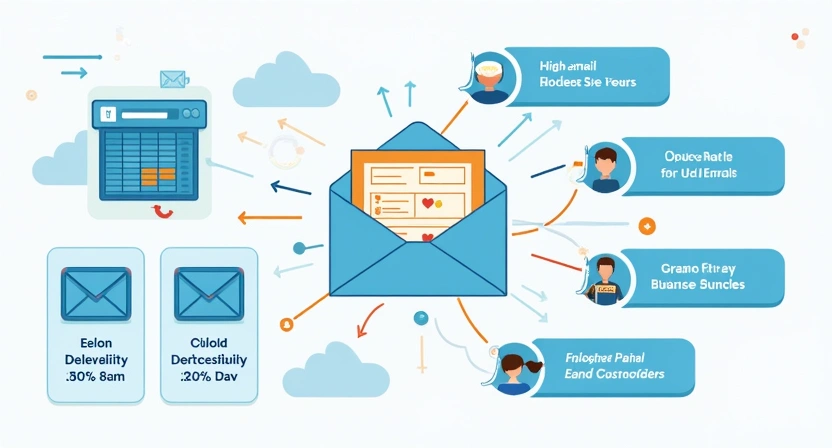
Amazon maintains a stringent reputation with internet service providers (ISPs) worldwide. By sending emails through SES, you benefit from Amazon's established IP reputation, which translates to higher inbox placement rates. SES incorporates sophisticated bounce, complaint, and feedback loop mechanisms to help you maintain a clean sender reputation, a cornerstone of effective email marketing.
Flexibility and Integration
SES offers flexible integration options, supporting both SMTP (Simple Mail Transfer Protocol) and various APIs (Application Programming Interfaces). This versatility allows it to connect with a wide array of applications, custom systems, and email marketing platforms. Whether you're building a custom solution or integrating with an existing platform, SES provides the hooks you need.
Setting Up Your Amazon SES Account
Before you can start sending emails, you need to configure your Amazon SES account. This involves a few key steps within the AWS console.
1. Create an AWS Account
If you don't already have one, sign up for an Amazon Web Services (AWS) account. You'll need to provide billing information, but SES offers a free tier that covers a significant volume of emails.
2. Verify Your Identities (Domains and Email Addresses)
To prevent unauthorized sending and to prove ownership, SES requires you to verify any email address or domain you plan to send from. This is a crucial step for maintaining sender reputation and compliance.
Verifying an Email Address:
- Navigate to the SES Dashboard in the AWS console.
- Under "Identity Management," click on "Email Addresses."
- Click "Verify a New Email Address," enter the address, and click "Verify This Email Address."
- SES will send a verification email to that address. Open the email and click the verification link.
Verifying a Domain:
Verifying a domain allows you to send emails from any address within that domain without individually verifying each one. This is highly recommended for professional email marketing.
- In the SES Dashboard, under "Identity Management," click on "Domains."
- Click "Verify a New Domain," enter your domain name (e.g.,
yourcompany.com), and check "Generate DKIM Settings" (highly recommended for deliverability). - SES will provide you with a set of DNS records (TXT and CNAME records). You must add these records to your domain's DNS settings with your domain registrar (e.g., GoDaddy, Namecheap) or DNS provider.
- Once the DNS records propagate (this can take a few minutes to 48 hours), SES will show your domain as "verified."
Example DNS Record (TXT for Domain Verification):
_amazonses.yourcompany.com TXT "your_verification_string"
Example DKIM Records (CNAME):
pmqswq34k._domainkey.yourcompany.com CNAME pmqswq34k.dkim.amazonses.com
g4m24k8o._domainkey.yourcompany.com CNAME g4m24k8o.dkim.amazonses.com
... (usually three CNAME records)
3. Move Out of the SES Sandbox
When you first start using SES, your account is in a "sandbox" environment. This means you can only send emails to verified email addresses and have sending limits (e.g., 200 emails per 24 hours). To send to unverified recipients and increase your sending quotas, you must request production access.
- In the SES Dashboard, click on "Sending Statistics" in the left navigation pane.
- Click "Edit Your Sending Limits" or "Request a Sending Limit Increase."
- Fill out the request form, providing clear details about your use case (e.g., "sending marketing newsletters to opted-in subscribers for Postigo campaigns"), how you collect email addresses, and how you plan to manage bounces and complaints. Be specific and demonstrate you understand email sending best practices.
- Amazon typically reviews these requests within 24 hours.
4. Obtain SMTP Credentials or Configure API Access
To connect your applications or email marketing platforms to SES, you'll need credentials.
SMTP Credentials:
This is the simplest way to integrate with many platforms.
- In the SES Dashboard, click "SMTP Settings" in the left navigation pane.
- Click "Create My SMTP Credentials."
- Follow the steps to create an IAM user and download the SMTP credentials (username and password). Store these securely.
API Access (AWS SDKs):
For more programmatic control, you can use the AWS SDKs in various programming languages (Python, Node.js, PHP, Java, .NET, Ruby, Go, C++). You'll typically configure your AWS Access Key ID and Secret Access Key (associated with an IAM user having SES sending permissions) in your application.
Example Python (boto3) API Call:
import boto3

ses_client = boto3.client(
    'ses',
    region_name='us-east-1', # Or your desired region
    aws_access_key_id='YOUR_AWS_ACCESS_KEY_ID',
    aws_secret_access_key='YOUR_AWS_SECRET_ACCESS_KEY'
)

response = ses_client.send_email(
    Source='sender@yourcompany.com',
    Destination={
        'ToAddresses': ['recipient@example.com'],
    },
    Message={
        'Subject': {
            'Data': 'Your Marketing Newsletter',
        },
        'Body': {
            'Html': {
                'Data': '<h1>Hello!</h1><p>This is your marketing content.</p>',
            }
        }
    }
)
print(response)
Integrating Amazon SES with Email Marketing Platforms (like Postigo)
While SES provides the backbone for email sending, it lacks the user-friendly interface, marketing features, and analytics that modern businesses require. This is where an email marketing and cold outreach platform like Postigo becomes invaluable.
The Synergy: SES + Postigo
Postigo and similar platforms act as the "brain" on top of SES's "muscles." They provide:
- Intuitive Campaign Builder: Drag-and-drop editors for creating professional email templates.
- Audience Segmentation: Tools to segment your contact lists based on demographics, behavior, and engagement.
- Automation Workflows: Set up drip campaigns, welcome sequences, and re-engagement flows.
- Advanced Analytics & Reporting: Track opens, clicks, bounces, complaints, and conversions to optimize your campaigns.
- A/B Testing: Test subject lines, content, and calls to action to improve performance.
- Compliance Features: Tools to help you manage opt-ins, opt-outs, and adhere to regulations like GDPR and CAN-SPAM.
How it Works: Most platforms allow you to connect SES by simply entering your SES SMTP credentials (username, password, and endpoint) into their settings. Once connected, the platform sends emails through your SES account, leveraging its high deliverability while providing you with all the necessary marketing tools.
For more on leveraging platforms for automated campaigns, read our blog on The Benefits of Email Marketing Automation.
Best Practices for High Deliverability with SES
Even with SES's excellent infrastructure, your sender reputation and deliverability are ultimately in your hands. Adhering to best practices is crucial.
1. Implement Strong Email Authentication (SPF, DKIM, DMARC)
These protocols verify that your emails are legitimate and prevent spoofing, significantly improving deliverability.
- SPF (Sender Policy Framework): Specifies which mail servers are authorized to send email on behalf of your domain. Add a TXT record to your DNS.
yourcompany.com TXT "v=spf1 include:amazonses.com ~all" - DKIM (DomainKeys Identified Mail): Adds a digital signature to your outgoing emails, allowing recipients to verify the email hasn't been tampered with. SES generates these CNAME records automatically when you verify a domain.
- DMARC (Domain-based Message Authentication, Reporting & Conformance): Builds on SPF and DKIM, telling receiving servers how to handle emails that fail authentication (e.g., quarantine, reject) and providing reports.
(Start with_dmarc.yourcompany.com TXT "v=DMARC1; p=none; rua=mailto:dmarc_reports@yourcompany.com"p=noneto monitor, then move top=quarantineorp=reject).
For a deep dive into these authentication methods, see our guide on Email Authentication: SPF, DKIM, DMARC Explained.
2. Maintain a Clean Email List
Sending to invalid or unengaged addresses will quickly damage your sender reputation.
- Regularly Clean Your Lists: Remove inactive subscribers and hard bounces. Postigo can help automate this process.
- Use Double Opt-in: Require users to confirm their subscription, ensuring genuine interest and reducing spam complaints.
- Implement Clear Opt-out Options: Make it easy for subscribers to unsubscribe, reducing the likelihood of them marking your emails as spam.
3. Monitor Your Reputation Metrics
SES provides detailed metrics on bounces, complaints, and delivery rates. Regularly review these to identify potential issues early. Keep your bounce rate below 5% and your complaint rate below 0.1% to maintain a good reputation.
4. Warm Up Your Sending IP (for new SES accounts/domains)
If you're starting with a new SES account or domain, begin sending emails in small batches and gradually increase the volume. This "warms up" your sender reputation with ISPs, demonstrating you're a legitimate sender. For cold outreach, this process is even more critical; learn more in our article on Mastering Cold Email Deliverability.
5. Craft Engaging and Relevant Content
High-quality, personalized content reduces spam complaints and increases engagement (opens, clicks), which positively impacts your sender reputation. Avoid spam trigger words and excessive use of capitalization or exclamation marks.
6. Utilize Configuration Sets
Configuration sets allow you to publish email sending events (like sends, deliveries, opens, clicks, bounces, complaints) to various destinations, such as Amazon CloudWatch or Amazon Kinesis Firehose. This is invaluable for detailed analytics and monitoring different types of campaigns (e.g., transactional vs. marketing).
Advanced SES Features and Monitoring
SES offers several advanced features that power sophisticated email operations and robust monitoring.
Bounce and Complaint Notifications (SNS)
Configure SES to send notifications to an Amazon SNS (Simple Notification Service) topic whenever a bounce or complaint occurs. This allows you to automatically process these events, update your email lists, and maintain a clean sender reputation.
Steps:
- Create an SNS topic in your AWS account.
- Subscribe an endpoint (e.g., an SQS queue, Lambda function, or email address) to this topic.
- In SES, go to "Configuration Sets" and create a new one, or select an existing one.
- Under "Event Destinations," add a new destination for "Bounce" and "Complaint" event types, pointing them to your SNS topic.
Sending Limits and Quotas
SES enforces sending limits (emails per 24 hours and emails per second) to protect your sender reputation and prevent abuse. You can view your current limits and request increases from the SES dashboard. It's crucial to monitor these limits and ensure your sending volume stays within them to avoid throttling.
Email Receiving
Beyond sending, SES also offers email receiving capabilities. You can configure SES to receive incoming emails and process them – for example, by saving them to S3, triggering a Lambda function, or forwarding them. While less common for pure outbound marketing, it can be useful for managing replies or support requests.
Common Use Cases for SES in Email Marketing
Amazon SES is incredibly versatile and can support various email sending needs:
- Transactional Emails: Sending order confirmations, password resets, shipping notifications, and account alerts. These are typically high-priority and require reliable, immediate delivery.
- Marketing Newsletters: Distributing regular updates, promotions, and content to opted-in subscribers.
- Bulk Communications: Sending large-volume announcements, policy updates, or event invitations.
- Cold Outreach Campaigns: When integrated with a dedicated cold outreach platform like Postigo, SES provides the robust sending infrastructure for personalized cold emails, ensuring high deliverability for initial contact strategies.
Challenges and Considerations
While powerful, SES isn't a plug-and-play solution like a full-service ESP.
- Technical Complexity: Setting up SES requires some familiarity with AWS and DNS settings.
- Lack of Built-in Marketing Features: SES alone doesn't offer email templates, segmentation, automation, or analytics dashboards. This necessitates integration with a third-party platform.
- Reputation Management: While SES provides the tools, maintaining a good sender reputation (managing bounces, complaints, engagement) is still your responsibility.
These challenges are precisely why platforms like Postigo exist. They abstract away the technical complexities, providing an intuitive marketing suite that fully leverages SES's sending power.
Conclusion
Amazon SES offers an incredibly powerful, scalable, and cost-effective engine for businesses to fuel their email marketing and outreach efforts. Its robust infrastructure and high deliverability make it an excellent choice for sending transactional, marketing, and cold emails at scale.
However, to unlock the full potential of SES for comprehensive email marketing, integration with a dedicated platform is essential. By pairing SES with Postigo, you gain access to advanced features for campaign management, audience segmentation, automation, and detailed analytics, transforming raw sending power into a strategic, data-driven marketing machine. Leverage the best of both worlds to elevate your email campaigns and achieve superior results.
Related Posts
Ready to scale your outreach?
Start sending personalized cold emails with AI-powered automation. Free trial, no credit card required.
Start Free Trial arrow_forward