


How to Verify an Email Address Without Sending
Why Email Verification is Crucial for Email Marketing & Cold Outreach
In the realm of email marketing and cold outreach, maintaining a pristine email list is not just a best practice—it's an absolute necessity. Sending emails to invalid or low-quality addresses can severely harm your sender reputation, lead to high bounce rates, and ultimately diminish the effectiveness of your campaigns. Verifying email addresses without sending an actual email is a proactive measure that safeguards your outreach efforts, ensuring your messages land in legitimate inboxes.
The process of email verification, at its core, involves a series of technical checks designed to ascertain the validity and deliverability of an email address before you ever hit 'send'. This proactive approach allows you to cleanse your lists, optimize your deliverability, and protect your sender reputation from the adverse effects of bounces and spam complaints. By identifying and removing problematic email addresses early, you can significantly improve your campaign ROI, conserve resources, and build stronger relationships with genuinely interested recipients.
Impact on Deliverability Rates
High bounce rates are a red flag for Internet Service Providers (ISPs). When a significant percentage of your emails bounce, ISPs may flag your sender IP and domain as suspicious, leading to your emails being directed to spam folders or outright blocked. Email verification helps minimize both hard bounces (permanent delivery failures due to non-existent addresses) and soft bounces (temporary failures, which can still indicate underlying issues).
Protecting Your Sender Reputation
Your sender reputation is paramount. It's a score assigned by ISPs based on your sending habits, bounce rates, spam complaint rates, and engagement metrics. A poor reputation can lead to widespread deliverability issues, even for valid subscribers. By regularly verifying your list, you demonstrate responsible sending practices, which helps maintain a positive reputation and ensures your emails reach the inbox.
Cost Efficiency and Resource Optimization
Many email service providers (ESPs) charge based on the number of emails sent or the size of your contact list. Sending to invalid addresses wastes these resources directly. By removing undeliverable emails, you reduce your sending volume, potentially lowering your ESP costs and ensuring your marketing budget is spent on reaching real, engaged prospects.
Enhanced Data Quality and Personalization
Accurate contact data is the foundation of effective personalization and segmentation. Verified email addresses mean you're working with reliable data, allowing for more targeted campaigns and improved engagement. This leads to higher open rates, click-through rates, and ultimately, conversions.
Compliance and Legal Considerations
Adhering to regulations like GDPR, CCPA, and CAN-SPAM is critical. Sending unsolicited emails, especially to addresses that are invalid or have been marked as spam traps, can lead to compliance issues and legal penalties. Verification helps you maintain a clean, opt-in list, reducing your legal risk.
Understanding the Types of Invalid and Risky Emails
Not all "bad" emails are created equal. Identifying the specific category an email falls into helps in making informed decisions about list hygiene and outreach strategy.
Syntax Errors
These are the most basic and easiest to detect. A syntax error means the email address does not conform to the standard email format (e.g., missing '@' symbol, invalid characters, or an incomplete domain).
john.doeexample.com(missing '@')jane@domain.c(invalid TLD, too short)email@domain..com(double dot in domain)
Non-Existent Domains
The domain part of the email address (e.g., example.com) simply does not exist or has expired. Attempts to send to these domains will always result in a hard bounce.
Non-Existent Users (Invalid Mailboxes)
The domain itself is valid and accepts mail, but the specific user (the part before the '@') does not exist on that server. This is a common type of invalid email address that leads to hard bounces.
Disposable Email Addresses (DEAs)
Also known as "burner emails," these are temporary email addresses designed for single use or short-term subscriptions. They are often used to avoid spam or unwanted marketing emails. While technically valid, they rarely lead to long-term engagement.
"Disposable email addresses are the digital equivalent of a one-night stand for your mailing list. They offer no commitment and no future engagement." - Email Marketing Expert
Spam Traps
These are email addresses specifically set up by anti-spam organizations and ISPs to catch spammers. Sending to a spam trap can severely damage your sender reputation and lead to blacklisting. There are several types:
- Pristine Spam Traps: Email addresses that have never been used for any purpose, specifically created to catch senders who scrape lists.
- Recycled Spam Traps: Old email addresses that have been abandoned by their owners and later repurposed as spam traps.
- Typo Traps: Misspellings of popular domains (e.g.,
gnail.cominstead ofgmail.com).
Role-Based Emails
These are addresses like info@, sales@, admin@, support@. While often valid and monitored, they typically go to a team rather than an individual. They are less effective for personalized cold outreach and can sometimes have higher complaint rates if used improperly.
Greylisted or Catch-All Domains
These present a challenge for verification. Greylisting is a temporary rejection mechanism where the server asks the sending server to try again later. It makes real-time verification difficult as a temporary failure might be interpreted as an invalid address. Catch-all domains are configured to accept all emails sent to their domain, regardless of whether the specific mailbox exists. This means a direct SMTP check for user existence will always report "valid," even for non-existent users.
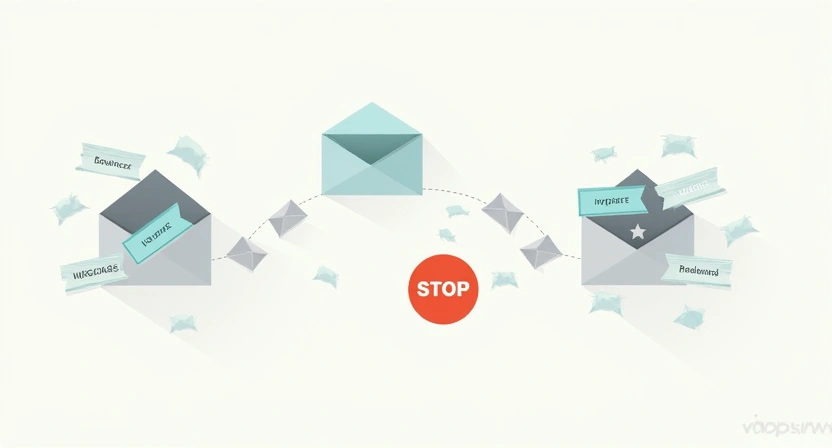
Methods to Verify Email Addresses Without Sending
Verifying an email address without dispatching an actual email involves a series of technical inquiries and checks that simulate the initial stages of email delivery. These methods leverage established internet protocols and database lookups to determine the likelihood of an email reaching its intended recipient.
1. Basic Syntax Validation (Client-Side & Server-Side)
This is the foundational step and the easiest to implement. It involves checking if an email address conforms to the basic format specified by RFC (Request For Comments) standards, primarily RFC 5322 and RFC 5321.
What it checks:
- Presence of a single '@' symbol.
- No invalid characters (e.g., spaces, special characters not allowed in email addresses).
- Domain part has at least one dot.
- No consecutive dots or dots at the start/end of local or domain parts.
How it's done:
Usually through regular expressions (regex) or built-in validation functions in programming languages. While a regex can identify a syntactically valid email, it cannot determine if the domain or mailbox actually exists.
Example (Simplified JavaScript Regex):
function isValidEmailSyntax(email) {
    const emailRegex = /^[^\s@]+@[^\s@]+\.[^\s@]+$/;
    return emailRegex.test(email);
}

console.log(isValidEmailSyntax("test@example.com")); // true
console.log(isValidEmailSyntax("test@example"));     // false (no TLD)
console.log(isValidEmailSyntax("testexample.com")); // false (no @)
Limitation: Syntax validation is necessary but insufficient. A syntactically perfect email can still be undeliverable.
2. Domain Validation (DNS Lookup)
Once syntax is confirmed, the next logical step is to verify the domain part of the email address. This involves querying Domain Name System (DNS) records.
A. A Record Check (Existence of Domain)
An 'A' record (Address record) maps a domain name to an IPv4 address. If a domain has no A record, it means the domain likely doesn't exist on the internet or is incorrectly configured.
How to check: You can use command-line tools like dig (Linux/macOS) or nslookup (Windows) or various online DNS lookup services.
# On Linux/macOS
dig A example.com

# On Windows
nslookup example.com
Result: If the query returns an IP address, the domain exists. If it returns "NXDOMAIN" or similar, the domain doesn't exist.
B. MX Record Check (Mail Exchange Record)
An MX record specifies the mail servers responsible for accepting email messages on behalf of a domain name. This is the most critical DNS check for email deliverability.
What it checks: Does the domain have mail servers configured to receive emails?
How to check: Similar to A records, but you query for MX records.
# On Linux/macOS
dig MX example.com

# On Windows
nslookup -type=MX example.com
Result:
- If MX records are found, the domain is configured to receive mail.
- If no MX records are found, the domain does not accept email, and any address at this domain will hard bounce.
Limitation: MX records only confirm mail reception capabilities for the domain, not the specific user.
3. SMTP Handshake (Without Sending an Email)
This method involves initiating a connection with the target email server (specified by the MX record) and performing a simulated email transaction, stopping just before the actual email content is sent. It's often referred to as "SMTP ping" or "SMTP port 25 verification."
How it works:
- Connect to the SMTP server: Establish a TCP connection to the mail server on port 25.
- Introduce yourself (HELO/EHLO): Send a
HELOorEHLOcommand to identify your client. - Specify sender (MAIL FROM): Send a
MAIL FROM:<sender@yourdomain.com>command. This sender doesn't need to be real but should be well-formed. - Specify recipient (RCPT TO): This is the crucial step. Send a
RCPT TO:<email_to_verify@targetdomain.com>command. - Interpret server response: The server's response to the
RCPT TOcommand indicates the validity of the mailbox.250 OK: The email address likely exists and is deliverable.550 User unknownor550 No such user here: The mailbox does not exist (hard bounce).4xx(e.g.,450 Requested mail action not taken: mailbox unavailable): A temporary error, possibly due to greylisting, rate limiting, or server issues. This means the address might be valid but can't be confirmed immediately.
- Disconnect (QUIT): Send a
QUITcommand to gracefully close the connection.
Challenges and Limitations:
- Greylisting: Many servers employ greylisting, which temporarily rejects initial attempts from unknown senders. This can cause a 4xx error even for valid addresses.
- Catch-all Servers: As mentioned, these servers accept all emails, always returning
250 OK, regardless of user existence. This renders SMTP handshake ineffective for identifying non-existent users on catch-all domains. - Rate Limiting/Blocking: Servers might block or rate-limit IP addresses performing too many rapid SMTP checks, interpreting it as suspicious activity.
- Complexity: Implementing a robust SMTP handshake requires handling various server responses, timeouts, and retries.
- Privacy: Some mail servers are configured not to reveal user existence information via SMTP probes, often returning a generic success or failure message to deter spammers.
Due to these complexities and limitations, especially with greylisting and catch-all servers, manual SMTP handshake is often unreliable and difficult to scale.
4. Leveraging Third-Party Email Verification Services
Given the intricacies and limitations of manual verification methods, the most reliable and scalable approach is to use specialized third-party email verification services. These platforms are designed to handle the full spectrum of checks efficiently and accurately.
Why they are superior:
- Comprehensive Checks: They combine all the methods mentioned above (syntax, domain, MX, SMTP handshake) with advanced proprietary algorithms.
- Spam Trap & DEA Detection: Services maintain vast databases of known disposable email providers and spam trap networks, providing a critical layer of protection.
- Greylisting & Catch-All Handling: Sophisticated services employ techniques like delayed retries, IP rotation, and database analysis to accurately assess addresses on greylisted or catch-all domains.
- Real-time & Bulk Verification: They offer both API-based real-time verification (for signup forms) and bulk list cleaning (for existing databases).
- Detailed Results: Instead of just "valid/invalid," they often provide nuanced statuses like "deliverable," "undeliverable," "risky," "unknown," "disposable," "role-based," etc.
- Scalability: Designed to process millions of emails quickly and efficiently.
- Integrations: Many services offer integrations with popular ESPs, CRMs, and marketing automation platforms, streamlining your workflow.
How they work:
When you submit an email list (or a single email via API), the service performs a multi-layered analysis:
- Syntax Check: Filters out obviously malformed emails.
- Domain & MX Record Check: Verifies domain existence and mail server configuration.
- SMTP Connection & Handshake: Attempts to connect to the mail server to confirm mailbox existence, carefully navigating greylisting and rate limits.
- Spam Trap & Blacklist Database Lookup: Checks the email against databases of known spam traps and blacklisted addresses.
- Disposable Email Detection: Identifies emails from known DEA providers.
- Role-Based Email Identification: Flags common role-based addresses.
- Deep-Level SMTP Protocol Analysis: Monitors server behavior, response times, and patterns to make more informed decisions, especially for 'unknown' or 'risky' statuses.
For platforms like Postigo, integrating with a robust email verification service is a cornerstone of ensuring high deliverability for all user campaigns. It’s an essential feature that empowers users to proactively clean their lists and optimize their outreach strategies.

5. Other Indirect Verification Methods (Use with Caution)
Social Media Lookups:
While not a direct email verification method, searching for an individual's email on professional social media platforms (like LinkedIn) or through tools that scour public profiles can sometimes confirm the existence of an active person behind an email address. This is more about lead enrichment than technical verification and should be used cautiously, adhering to privacy policies.
Website Contact Pages / Manual Search:
For high-value leads, manually visiting a company's website to find direct contact information or using web scraping tools (ethically and legally) can sometimes yield better results than automated verification if the initial address seems problematic. This is labor-intensive and not scalable.
Previous Engagement Data:
If an email address has previously engaged with your content (opened, clicked, replied), it's a strong indicator of its validity and activity. Regularly segmenting and analyzing engagement data can help identify genuinely active subscribers versus dormant ones, even if the address technically passes verification.
Implementing Email Verification into Your Workflow
Integrating email verification seamlessly into your marketing and outreach processes is key to sustained success. It should not be a one-off task but an ongoing commitment to list hygiene.
Real-time Verification on Signup Forms
This is arguably the most effective place to implement verification. By integrating an email verification API directly into your website's signup forms, lead capture pages, or checkout processes, you can prevent invalid or disposable emails from entering your list from the outset. This improves data quality at the source.
Learn more about optimizing your signup forms: /en/blog/optimizing-lead-capture-forms/
Pre-Send List Cleaning
Before every major email marketing campaign or cold outreach sequence, run your list through a verification service. This ensures that any addresses that might have become invalid since your last send are removed, preventing bounces and protecting your sender reputation.
Regular Database Audits
Email addresses can go stale over time as people change jobs, abandon old accounts, or make typos during signup. Schedule periodic (e.g., quarterly or bi-annual) audits of your entire email database. This catches addresses that might have been valid initially but are no longer active.
Integration with ESPs/CRMs
Many leading email verification services offer direct integrations with popular Email Service Providers (ESPs) like Mailchimp, HubSpot, Salesforce, and custom CRMs. This allows for automated synchronization and cleaning of your lists, minimizing manual effort.
Best Practices for Maintaining a Clean Email List
Email verification is a powerful tool, but it's part of a larger strategy for list health. Here are additional best practices:
Embrace Double Opt-in
Always encourage or require double opt-in for new subscribers. This means after a user signs up, they receive a confirmation email with a link they must click to activate their subscription. This not only verifies the email is real and active but also confirms genuine interest, reducing spam complaints.
Monitor Bounce Rates Diligently
Keep a close eye on your bounce rates within your ESP. A consistent hard bounce rate above 2% or a soft bounce rate above 5% indicates underlying issues with your list quality or sending practices. Investigate promptly.
Discover more about improving deliverability: /en/blog/email-deliverability-best-practices/
Segment and Engage Your List
Regularly segment your list based on engagement (e.g., opens, clicks). Identify and re-engage inactive subscribers. If they still don't respond after re-engagement efforts, consider removing them to preserve your sender reputation.
Remove Inactive Subscribers
Set a policy for removing subscribers who haven't engaged with your emails for a prolonged period (e.g., 6-12 months). While they might be technically valid, their lack of engagement can negatively impact your overall sender reputation and list performance.
Utilize Suppression Lists
Maintain a suppression list of email addresses you should never send to. This includes unsubscribes, hard bounces, spam complaints, and any addresses identified as spam traps or role-based addresses not suitable for your outreach.
Conclusion
Verifying email addresses without sending an email is a non-negotiable step for anyone serious about effective email marketing and cold outreach. It’s the shield that protects your sender reputation, the filter that enhances your data quality, and the accelerator that boosts your campaign performance.
While basic syntax and domain checks offer foundational insights, the true power of verification lies in sophisticated SMTP handshakes and, most reliably, in the comprehensive capabilities of dedicated third-party email verification services. These services transcend simple checks, delving into the nuances of mailbox existence, disposable addresses, and the ever-present threat of spam traps, all without ever sending a single email.
By integrating robust verification into your workflow—from real-time signup checks to regular list audits—and combining it with sound list hygiene practices, you empower your campaigns to achieve higher deliverability, better engagement, and a stronger ROI. With Postigo, you gain access to the tools and insights needed to maintain a clean, high-performing email list, ensuring your messages always reach their intended audience effectively and efficiently.
Related Posts

Ready to scale your outreach?
Start sending personalized cold emails with AI-powered automation. Free trial, no credit card required.
Start Free Trial arrow_forward