

How to Warm Up a New Email Account
Warming up a new email account is a critical, non-negotiable step for anyone looking to establish a strong sender reputation and ensure high deliverability rates for their email marketing and cold outreach campaigns. Neglecting this process can lead to immediate blacklisting, emails landing in spam folders, or even account suspension by email service providers (ESPs). A proper warm-up strategy systematically builds trust with ESPs by mimicking organic email activity, gradually increasing sending volume, and encouraging positive engagement over time, thereby signaling that the account belongs to a legitimate sender.
What is Email Warm-Up and Why is it Essential?
Email warm-up is the strategic process of gradually increasing the sending volume and interaction level of a new email address or domain over a period of weeks. This controlled approach helps build a positive sender reputation with Internet Service Providers (ISPs) like Gmail, Outlook, and Yahoo, convincing them that your emails are legitimate and desired by recipients, rather than spam.
ISPs employ sophisticated algorithms to protect their users from unwanted emails. When a new email account or domain suddenly starts sending a large volume of messages, these algorithms flag it as suspicious, often assuming it's a spam operation. Without a warm-up, your emails are highly likely to be diverted straight to spam folders, severely impacting your outreach efforts and return on investment.
The Role of ISPs and Their Algorithms
ISPs constantly monitor a multitude of signals to assess the trustworthiness of an email sender. These signals include:
- Sending Volume and Velocity: Sudden spikes are red flags.
- Recipient Engagement: Opens, clicks, replies, and moving emails from spam to inbox are positive signals.
- Negative Feedback: Spam complaints, unsubscribes, and bounces are detrimental.
- Domain and IP Reputation: The historical behavior associated with your domain and the IP address from which you send emails.
- DNS Records: Proper configuration of SPF, DKIM, and DMARC demonstrates authenticity.
A successful warm-up strategy systematically addresses each of these factors, allowing your new account to "prove itself" to these watchful algorithms.
Consequences of Not Warming Up
The risks of skipping email warm-up are significant and can undermine your entire email strategy:
- Spam Folder Deliverability: Your emails will bypass the inbox and land directly in the spam or junk folder, rendering your campaigns ineffective.
- Blacklisting: Your domain or IP address might be added to email blacklists, which are databases used by ISPs to block emails from known spammers. Recovering from a blacklist can be a lengthy and challenging process.
- Account Suspension: Severe and persistent violations of sending policies can lead to your email account being temporarily or permanently suspended by your provider.
- Wasted Resources: All the effort put into crafting compelling email content and building prospect lists becomes futile if your emails don't reach their intended destination.
Investing time in a proper warm-up is an investment in the long-term success and sustainability of your email outreach.
Key Principles of a Successful Warm-Up Strategy
Executing an effective email warm-up requires adherence to several core principles. These principles form the bedrock of establishing and maintaining a stellar sender reputation.
Consistency is Key
Irregular sending patterns can be just as detrimental as sudden volume spikes. ISPs prefer to see a consistent, predictable flow of email activity from your account. This means sending emails regularly throughout your warm-up period, ideally on most business days, rather than sending a large batch once a week.
Gradual Volume Increase
This is arguably the most crucial principle. You must start with a very small number of emails per day and slowly, incrementally increase that volume. There's no magic number, as it depends on the age and history of your domain, but a common starting point is 5-10 emails per day, growing by a similar small increment each day or every few days. This mimics natural email growth.
Engagement Matters
Positive engagement signals are gold for your sender reputation. Encourage recipients to open your emails, click on links, reply, and move your emails from the promotions tab or even spam folder to their primary inbox. Conversely, avoid actions that lead to negative engagement, such as recipients marking your email as spam or deleting it unread.
Monitor and Adapt
A warm-up is not a set-it-and-forget-it process. You must actively monitor your deliverability rates, open rates, click-through rates, and especially your bounce and spam complaint rates. If you notice a dip in deliverability or an increase in complaints, scale back your sending volume and assess your content or audience. Flexibility and responsiveness are vital.
Patience is a Virtue
Email warm-up is a marathon, not a sprint. Depending on your goals and the age of your domain, a full warm-up can take anywhere from 4 to 12 weeks, or even longer for completely new domains. Rushing the process is counterproductive and can lead to setbacks that require starting over. Embrace the long game for sustainable success.
Before You Begin: Pre-Warm-Up Checklist
Before you even think about sending your first warm-up email, there are foundational steps you must take to prepare your domain and email account. These steps are crucial for establishing authenticity and security, which ISPs heavily scrutinize.
Choose the Right Domain and Email Provider
Your choice of domain and email provider significantly impacts your warm-up success. While dedicated IP addresses are often recommended for very high-volume senders, most businesses will use a shared IP through their email provider, which is perfectly fine, provided the provider has good practices. Popular email providers like Gmail (via Google Workspace), Outlook (via Microsoft 365), and Zoho Mail are excellent choices because they offer robust infrastructure and are generally trusted by other ISPs.
- Domain Age: Older domains with a history of positive email activity have an advantage. If you're using a brand new domain, be extra patient.
- Dedicated Subdomain: For cold outreach, consider using a subdomain (e.g.,
mail.yourdomain.comoroutreach.yourdomain.com) instead of your primary domain (yourdomain.com). This compartmentalizes your sending reputation, protecting your main domain from potential issues related to cold email.
Set Up Essential DNS Records
DNS (Domain Name System) records are paramount for email authentication. They prove that you are authorized to send emails from your domain, preventing spoofing and improving deliverability. Ensure these are correctly configured for your sending domain:
SPF (Sender Policy Framework)
SPF records specify which mail servers are authorized to send email on behalf of your domain. It helps prevent spammers from sending messages with forged sender addresses from your domain.
v=spf1 include:_spf.google.com ~all(Example for Google Workspace. Your 'include' value will vary based on your email provider and any other services you use for sending mail.)
DKIM (DomainKeys Identified Mail)
DKIM adds a digital signature to your outgoing emails, allowing receiving servers to verify that the email was not altered in transit and truly originated from your domain. This cryptographic authentication is a strong signal of legitimacy.
DMARC (Domain-based Message Authentication, Reporting, and Conformance)
DMARC builds on SPF and DKIM by instructing receiving servers on what to do with emails that fail authentication (e.g., quarantine, reject, or allow) and provides reporting on email authentication failures. Implementing DMARC is a strong indicator of a security-conscious sender.
v=DMARC1; p=none; rua=mailto:dmarc_reports@yourdomain.com; ruf=mailto:dmarc_forensics@yourdomain.com; sp=none; adkim=r; aspf=r; fo=0; pct=100; rf=afrf; ri=86400;(Example DMARC record set to 'p=none' for monitoring, which is recommended initially. Adjust 'p' to 'quarantine' or 'reject' once confident in your SPF/DKIM setup.)
MX Records (Mail Exchanger)
These records specify which mail servers are responsible for accepting email messages on behalf of your domain. While not directly for sending reputation, correct MX records ensure you can receive replies and bounce notifications, which are crucial for monitoring your warm-up.
PTR Record (Pointer Record - Reverse DNS)
A PTR record provides the reverse lookup for an IP address, mapping it back to a domain name. While often managed by your hosting provider or ISP, ensuring your sending IP has a valid PTR record that matches your domain adds another layer of authenticity.
| DNS Record | Purpose | Impact on Deliverability |
|---|---|---|
| SPF | Authorizes sending servers for your domain. | Prevents sender spoofing; helps emails pass initial checks. |
| DKIM | Digitally signs outgoing emails for authenticity. | Verifies email integrity and sender identity; crucial for inbox placement. |
| DMARC | Policy for handling failed SPF/DKIM authentication & reporting. | Strong signal of security; provides valuable feedback on authentication failures. |
| MX | Directs incoming emails to your mail servers. | Ensures you receive replies and bounce messages. |
| PTR | Maps IP to domain (reverse DNS lookup). | Adds another layer of sender verification, especially important for cold outreach. |
For a deeper dive into these configurations, refer to our blog post: Understanding Essential DNS Records for Email Deliverability.
Create Professional Email Signatures
A complete and professional email signature lends credibility to your emails. Include your full name, title, company name, website, and phone number. This small detail reinforces your legitimacy and makes your emails appear more human and trustworthy.
Configure Email Forwarding/Aliases (Optional but Recommended)
If you're using a subdomain for cold outreach, consider setting up forwarding rules or aliases to your primary inbox. This ensures you don't miss any replies or important notifications, streamlining your communication flow.
The Manual Email Warm-Up Process (DIY Method)
While automated solutions offer efficiency, understanding the manual warm-up process provides valuable insight into what automated tools replicate. This method requires significant time and consistent effort, often making it less scalable for multiple accounts.
Phase 1: Initial Activity & Trust Building (Week 1-2)
The goal here is to establish basic, natural-looking email activity with highly engaged, trusted contacts.
- Send to Friends & Colleagues: Start by sending a handful of emails (5-10 per day) to personal contacts, team members, or other email accounts you own.
- Encourage Engagement: Ask these recipients to open your emails, reply with a short message, mark your email as "not spam" if it lands there, and ideally, add your email address to their contact list. This positive interaction is crucial.
- Send Internal Emails: Exchange emails within your team using the new account. This generates safe, high-engagement traffic.
- Subscribe to Newsletters: Use your new email account to subscribe to a few reputable newsletters. This creates legitimate incoming mail flow, further normalizing your account's activity.
- Use for Registrations: Sign up for non-critical services or forums with your new email. Again, this creates organic inbound mail.
Phase 2: Gradual Expansion & Engagement (Week 3-4)
Once your account shows consistent, positive activity with trusted contacts, you can begin to slowly expand your reach.
- Slowly Increase Volume: Incrementally increase your daily sending volume by 5-10 emails every 2-3 days. Continue to prioritize sending to contacts who will engage positively.
- Mix Up Content Types: Don't just send plain text emails. Vary your email content – include links, perhaps a simple image, and different topics. This makes your sending patterns appear more natural.
- Encourage Diverse Interactions: Beyond replies, encourage contacts to click on internal links (e.g., to your company blog) or forward your emails to other trusted contacts.
Phase 3: Scaling Up (Week 5+)
As your sender reputation solidifies, you can begin to introduce a small, highly qualified segment of your actual target audience. This phase requires meticulous monitoring.
- Start with a Small Segment: Begin sending to a very small, highly engaged portion of your target list. These should be prospects who are most likely to open and respond positively.
- Maintain Engagement Focus: Even with your target audience, prioritize content that encourages interaction. High open and reply rates are still paramount.
- Monitor Deliverability Closely: Utilize deliverability tools and keep a keen eye on your bounce rates, open rates, and critically, any spam complaints. If you see negative trends, immediately reduce your sending volume.
Example Manual Warm-Up Schedule
| Week | Daily Emails Sent | Interaction Focus | Notes |
|---|---|---|---|
| 1 | 5-10 | Opens, replies, add to contacts | Only to trusted friends/colleagues. Reply to all incoming emails. |
| 2 | 10-20 | Continued positive engagement, varied subjects | Subscribe to newsletters, use email for online registrations. |
| 3 | 20-35 | Clicks, forwards, longer replies | Increase volume every 2-3 days. Mix in some internal links. |
| 4 | 35-50 | High engagement rates | Begin sending to a very small segment of highly qualified prospects. |
| 5+ | 50+ (gradual increase) | Monitor all metrics, slowly scale | Increase by ~10-15% every few days, monitor closely. |
This schedule is a general guideline; adjust based on your specific results and the responsiveness of your email provider.
Automated Email Warm-Up Solutions (Postigo's Approach)
While manual warm-up is effective, it's time-consuming and often impractical for individuals managing multiple accounts or high-volume sending. This is where automated email warm-up solutions like Postigo become indispensable.
How Automated Warm-Up Works
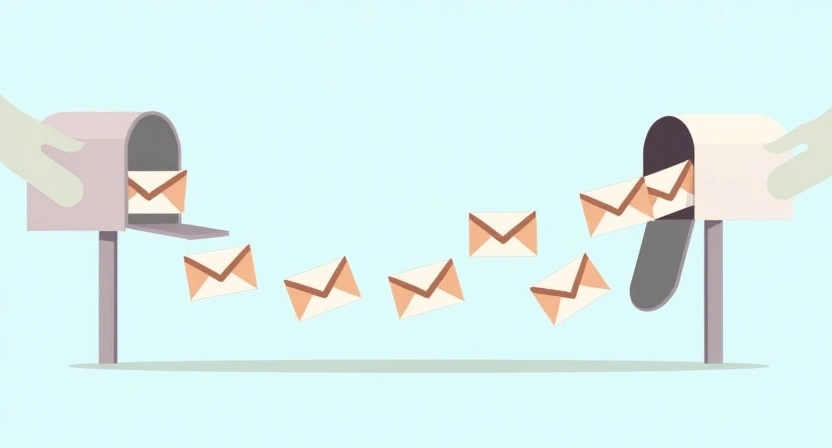
Automated warm-up platforms operate by connecting your email account to a vast network of real, active inboxes (often belonging to other users of the warm-up service). Once connected, the system automatically:
- Sends Emails: Your account sends emails to other inboxes within the warm-up network.
- Receives Emails: Other accounts in the network send emails to your inbox.
- Simulates Engagement: Crucially, these emails are opened, marked as important, moved out of spam folders (if they land there), and often replied to. This mimics genuine human interaction on a consistent, scalable basis.
This automated, high-volume, and positive interaction ensures that your email account rapidly builds a strong reputation with ISPs, signaling that your emails are valued and desired by recipients.
Benefits of Automation
Automated warm-up tools offer significant advantages over manual processes:
- Time-Saving: Frees up countless hours you would otherwise spend manually managing warm-up.
- Consistency: Ensures a steady, predictable flow of warm-up activity, which is vital for ISP algorithms.
- Scalability: Easily warm up multiple email accounts simultaneously without manual overhead.
- Optimized Strategies: Advanced platforms use sophisticated algorithms to determine optimal sending volumes and interaction patterns, adapting to ISP responses.
- Deliverability Monitoring: Many platforms provide real-time insights into your deliverability, helping you identify and address issues quickly.
Why Postigo is Your Go-To for Warm-Up
Postigo offers a robust and intelligent email warm-up solution designed specifically to integrate seamlessly with your outreach campaigns. Our platform doesn't just send emails; it builds a genuine sender reputation through smart, adaptive strategies.
- Intelligent Algorithm: Postigo's warm-up algorithm dynamically adjusts sending volume and engagement patterns based on your account's real-time performance and the specific responses of various ISPs.
- Authentic Interaction Network: We leverage a network of real inboxes to ensure genuine opens, replies, and "not spam" actions, mimicking natural human behavior.
- Integrated with Outreach: Unlike standalone warm-up tools, Postigo's solution is built directly into our email marketing and cold outreach platform. This means you can warm up your accounts and then immediately launch campaigns with confidence, all from one dashboard.
- Detailed Reporting: Gain clear insights into your warm-up progress, deliverability rates, and sender reputation, allowing you to make data-driven decisions.
- Protection Against Spam Traps: Our system helps protect your warmed-up accounts from common pitfalls, ensuring long-term health.
By using Postigo for your email warm-up, you're not just getting a feature; you're securing a foundational element for the success of your entire email strategy. Explore how Postigo can transform your deliverability: Postigo Email Warm-Up.
Best Practices During and After Warm-Up
Warming up an account is the initial hurdle; maintaining a good sender reputation is an ongoing commitment. Adhering to these best practices will ensure your email deliverability remains high long after your warm-up period concludes.
Segmentation is Crucial
Avoid blasting your entire list with the same generic message. Segment your audience based on demographics, interests, past interactions, or their stage in the sales funnel. Tailored messages lead to higher engagement, which in turn boosts your sender reputation.
Personalization Enhances Engagement
Beyond basic name personalization, strive for content that resonates deeply with each segment. Reference previous interactions, specific pain points, or relevant industry news. Personalized emails are far more likely to be opened, read, and replied to.
"In email marketing, deliverability is not a one-time setup; it's a continuous optimization process. Start with a solid warm-up, but stay vigilant with your list hygiene and engagement strategies."
— Email Deliverability Expert
Clean Your Email Lists Religiously
An unclean list is a direct threat to your sender reputation. Regularly remove:
- Bounced Addresses: Hard bounces indicate invalid email addresses and should be removed immediately.
- Inactive Subscribers: Those who haven't opened or clicked in a long time can signal low engagement to ISPs. Consider re-engagement campaigns or removal.
- Spam Traps: These are email addresses designed to catch spammers. Hitting one can severely damage your reputation. Regular list cleaning helps avoid them.
For more detailed strategies, read our guide on Email List Hygiene Best Practices.
Monitor Key Metrics
Continuous monitoring of your email campaign performance is non-negotiable. Pay close attention to:
- Open Rates: Indicates subject line effectiveness and sender reputation.
- Click-Through Rates (CTR): Measures engagement with your email content.
- Reply Rates: Especially crucial for cold outreach, high reply rates are a strong positive signal.
- Bounce Rates: High hard bounce rates signal a poor list. High soft bounce rates might indicate temporary server issues or content problems.
- Spam Complaint Rates: The most damaging metric. Aim for rates below 0.1%.
A/B Test Your Campaigns
Experiment with different subject lines, email bodies, calls to action, and sending times. A/B testing helps you understand what resonates best with your audience, leading to higher engagement and improved deliverability.
Avoid Common Pitfalls
- Buying Email Lists: These lists are notorious for containing old, invalid, and spam trap addresses. Never use them.
- Sudden Volume Spikes: Even after warm-up, avoid abrupt, massive increases in sending volume. Scale gradually.
- Generic, Spammy Content: Avoid spam trigger words, excessive capitalization, exclamation points, and poor formatting. Focus on value.
- Ignoring Feedback: Pay attention to unsubscribe reasons and spam complaints. They provide critical insights into improving your strategy.
Advanced Tips for Maintaining High Deliverability
Beyond the basics, several advanced considerations contribute to a robust and long-lasting email deliverability strategy.
Domain Age and History
While you can't change your domain's age, understanding its history is crucial. A domain with a long, clean history of sending legitimate emails holds more weight with ISPs. If you're using a very new domain, acknowledge that the warm-up period will naturally be longer and require more patience.
IP Reputation
Whether you're on a shared IP (most common) or a dedicated one, the reputation of your sending IP address is vital. Shared IP users benefit from their provider's overall IP management, but can also be affected by other users' poor sending habits. Dedicated IP users have full control, but bear sole responsibility for their IP's reputation. Regularly check your IP against blacklists.
Content Quality and Relevance
Even with perfect technical setup, poor content will doom your deliverability. ISPs analyze email content for spammy characteristics, but more importantly, recipients react negatively to irrelevant or low-quality messages. Focus on providing genuine value, clear messaging, and a strong call to action. An email that educates, solves a problem, or offers a unique benefit is less likely to be marked as spam.
Learn more about crafting effective outreach emails: Crafting Effective Cold Emails.
List Hygiene Automation
Beyond manual cleaning, integrate automated list hygiene tools or features into your process. Many email service providers offer built-in bounce management and suppression lists. Consider third-party validation services to scrub your lists regularly before sending, especially for cold outreach.
Feedback Loops (FBLs)
Sign up for Feedback Loops with major ISPs (like Gmail, Outlook, Yahoo) if your email provider doesn't do it automatically. FBLs notify you when a recipient marks your email as spam. This information is invaluable for immediately removing problematic subscribers from your list, preventing further damage to your sender reputation.
Conclusion: The Long-Term Play for Email Success
Warming up a new email account is more than a technical formality; it's a foundational commitment to responsible and effective email communication. It's about earning the trust of ISPs and, by extension, your recipients. By diligently following a strategic warm-up process, either manually or through advanced automation like Postigo, you lay the groundwork for high deliverability, increased engagement, and ultimately, greater success in your email marketing and cold outreach endeavors.
Remember, email deliverability is not a destination but an ongoing journey. The principles of gradual scaling, positive engagement, meticulous monitoring, and continuous list hygiene remain paramount even after your initial warm-up. Embrace these practices as a core part of your strategy, and you'll build a lasting, positive sender reputation that yields consistent results.
Ready to ensure your emails always land in the inbox? Start your warm-up journey with Postigo today and experience the difference of intelligent, automated deliverability.
Related Posts

Ready to scale your outreach?
Start sending personalized cold emails with AI-powered automation. Free trial, no credit card required.
Start Free Trial arrow_forward